BTD · Bank Transaction Dashboard
Every account in a case – and the money's path.
BTD opens a case from INSTRAM's signed data, reconciles the way different banks spell the same parties, and from then on you can ask what matters in the case: where the money came from, where it went, who stands in the chain, and what is suspicious about it. In the browser, on the organisation's own server.
1 · Case, import, reconciliation
Only unaltered data gets in, and only reconciled data is analysed.
A case is made from one or more signed CSVs. BTD checks the signature before a single row is loaded; nothing is taken from a file that is altered or unsigned. Rows in other currencies are converted into the case's currency at the central bank's daily rate, and repeats within a file and between imports are filtered out.
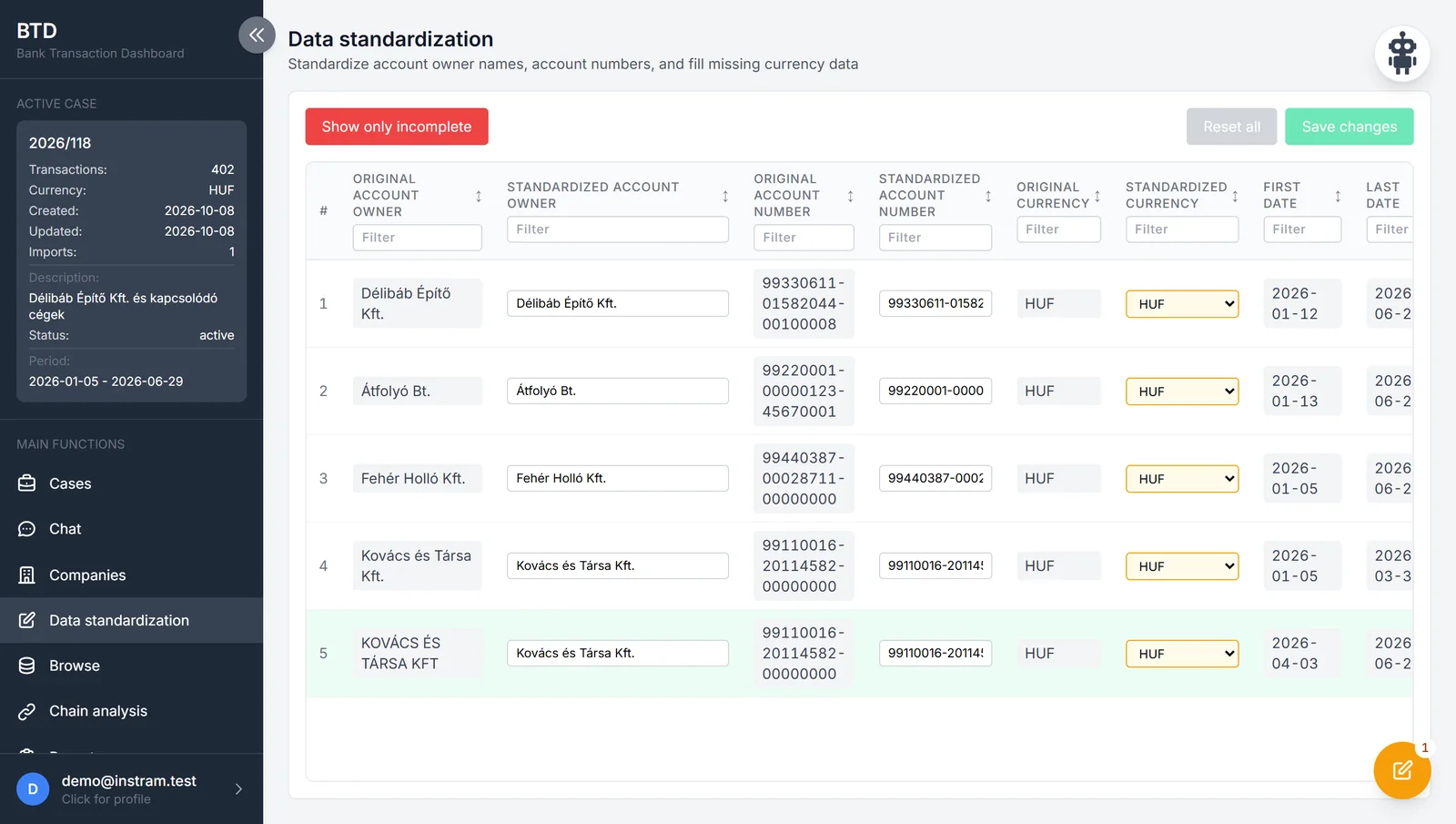
Analysis opens only after reconciliation: the same holder may appear under several spellings, and the program merges them – the original values are kept, so the step can be reversed. Counterparties get one name per account with a single click.
2 · Table
Every row, with every filter.
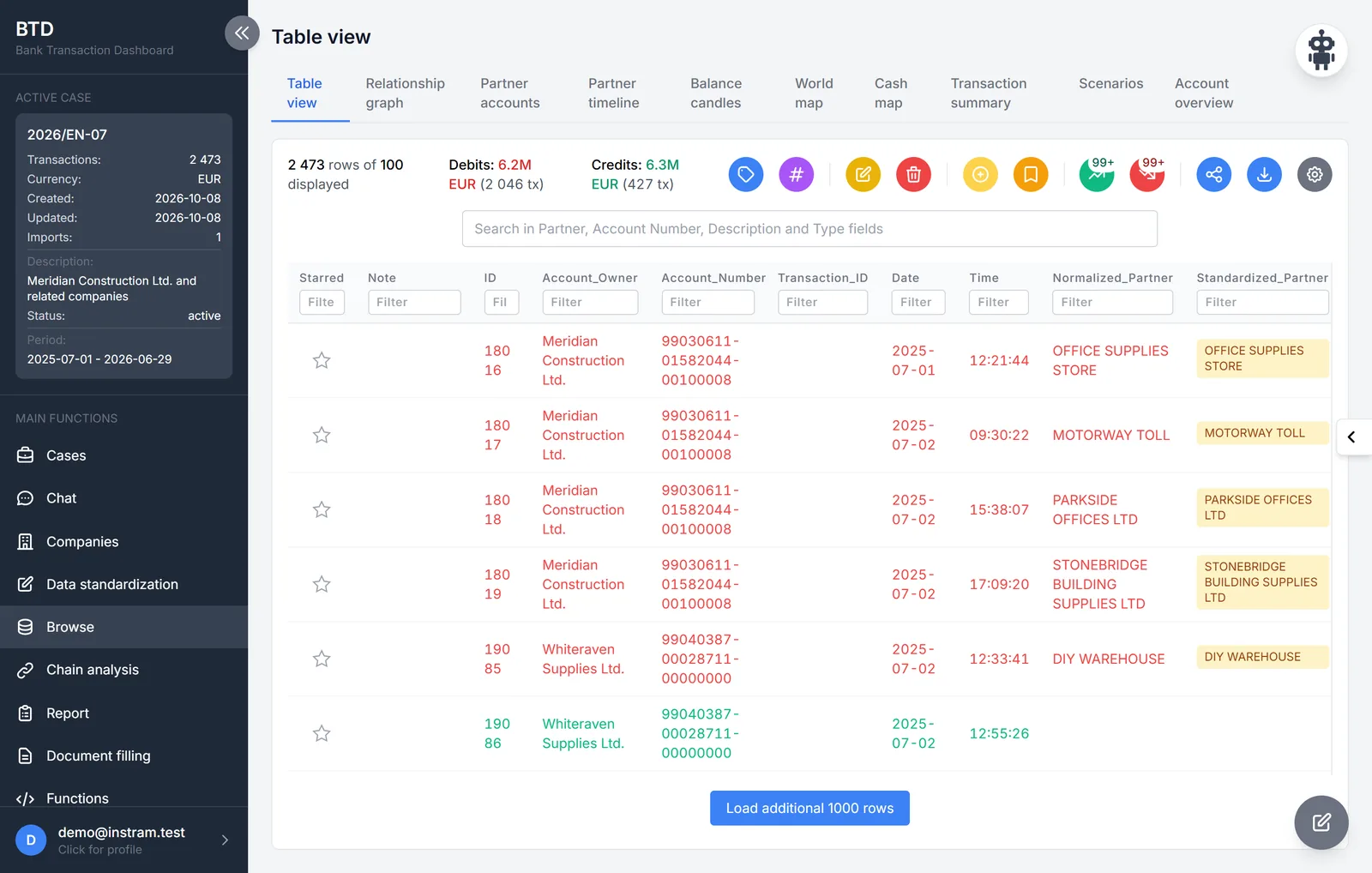
The table holds every row of the case: a filter on each column, free-text search, labels, saved views. What is filtered here is what every other view sees – the graph, the maps and the summary draw the same set of rows. A row can be starred and given a note; the filtered rows export to Excel and to Analyst's Notebook, and credits can be traced forwards and debits backwards with one click.
3 · Relationship graph
Who paid whom – and by which route the money got there.
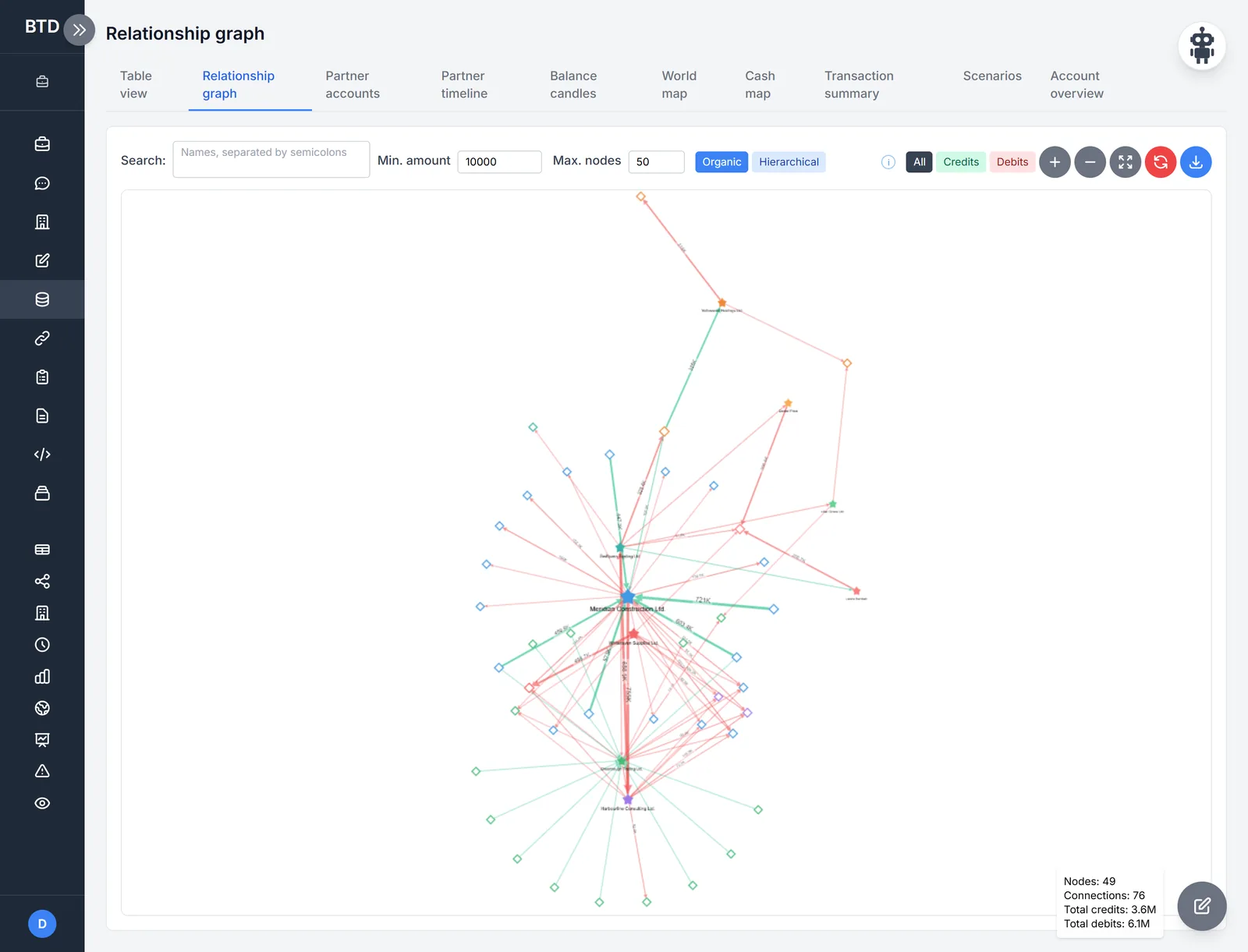
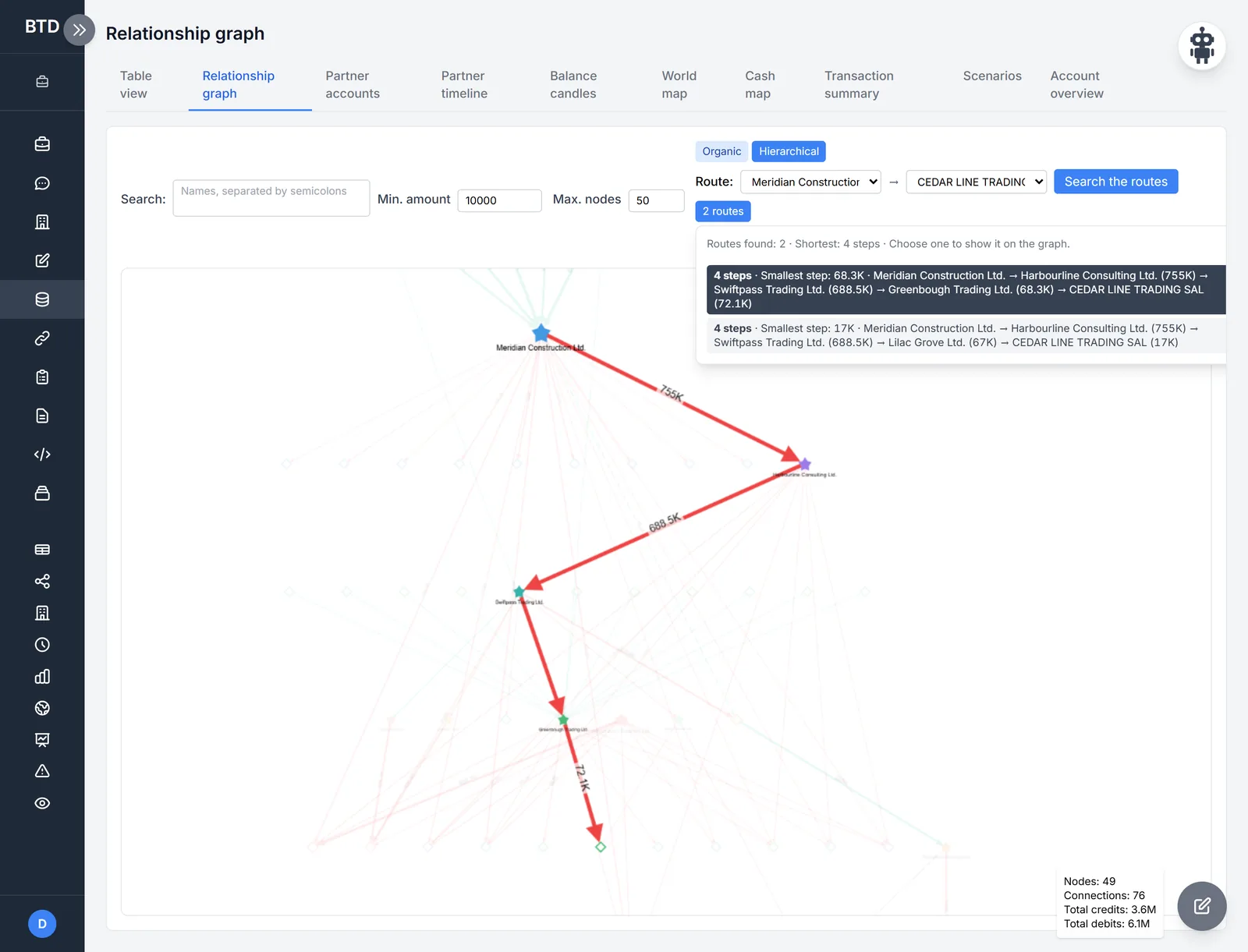
The graph draws the account holders and their counterparties, with the amounts on the connections, in organic or hierarchical layout, with an amount threshold and a node limit. The route finder gives every path along which money got from one party to another, step by step with the smallest amount – pick one and the drawing highlights only that. The graph exports as HTML.
4 · Counterparties, timeline, balance
The same data, for other questions.
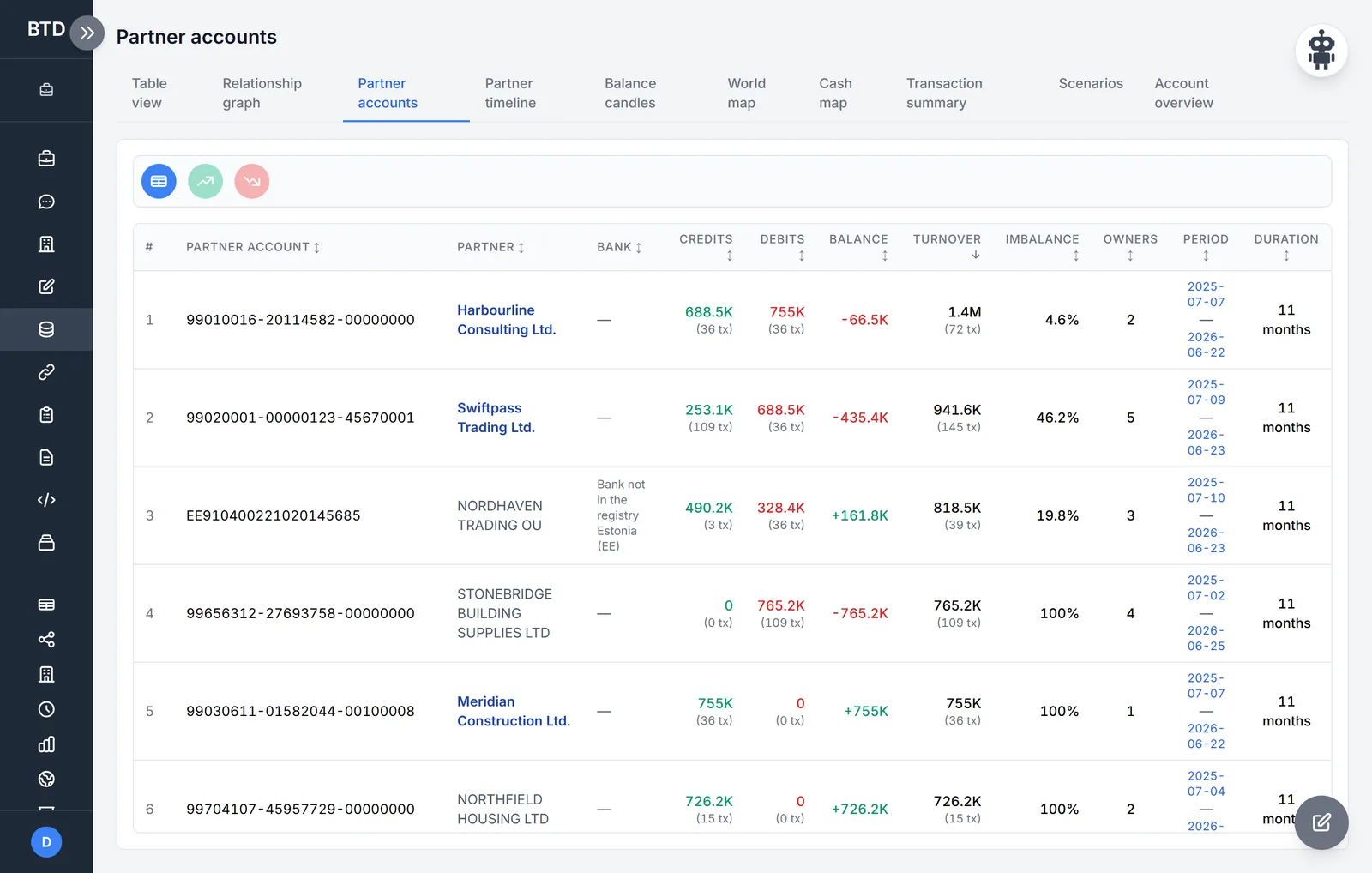
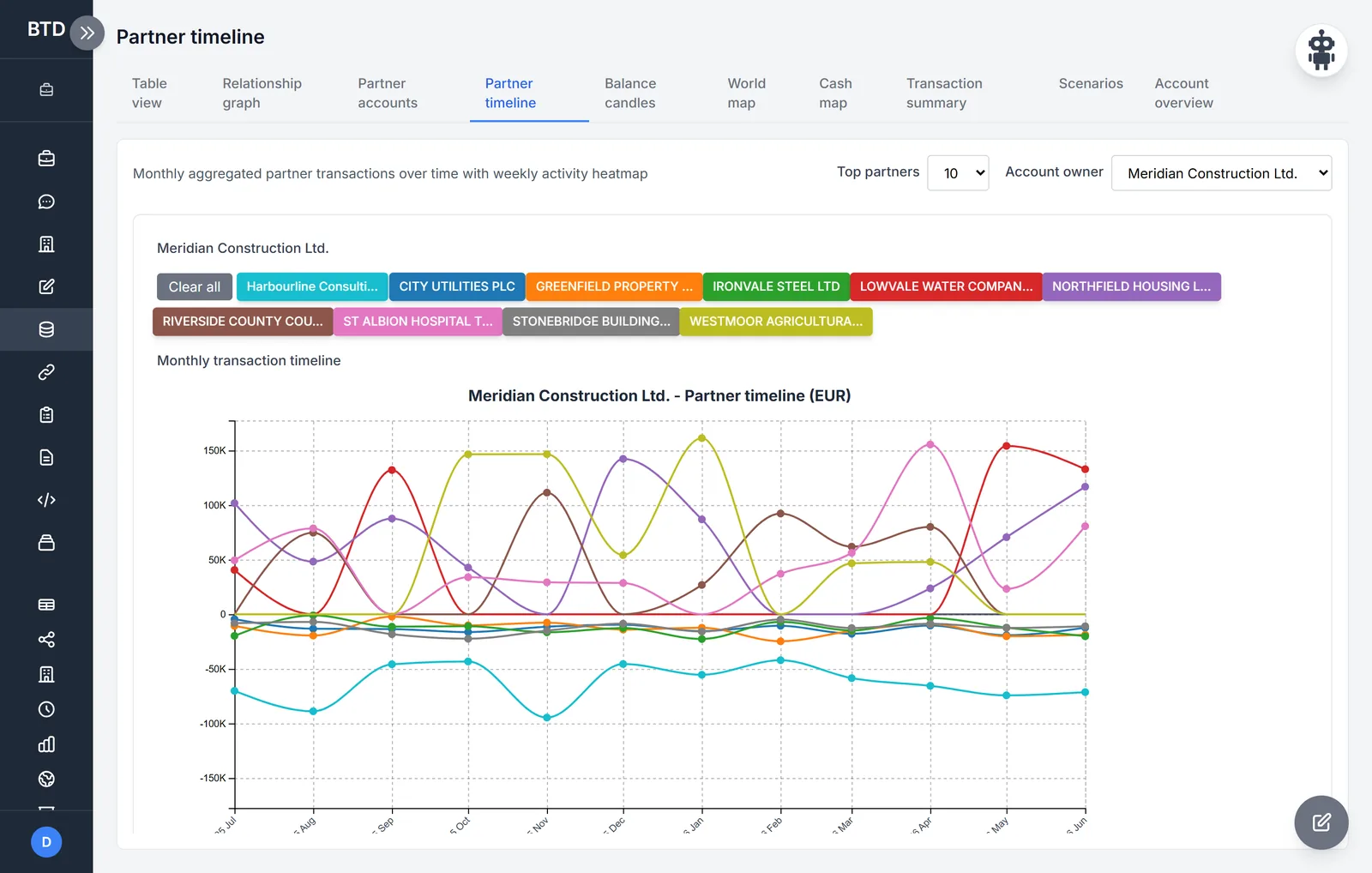
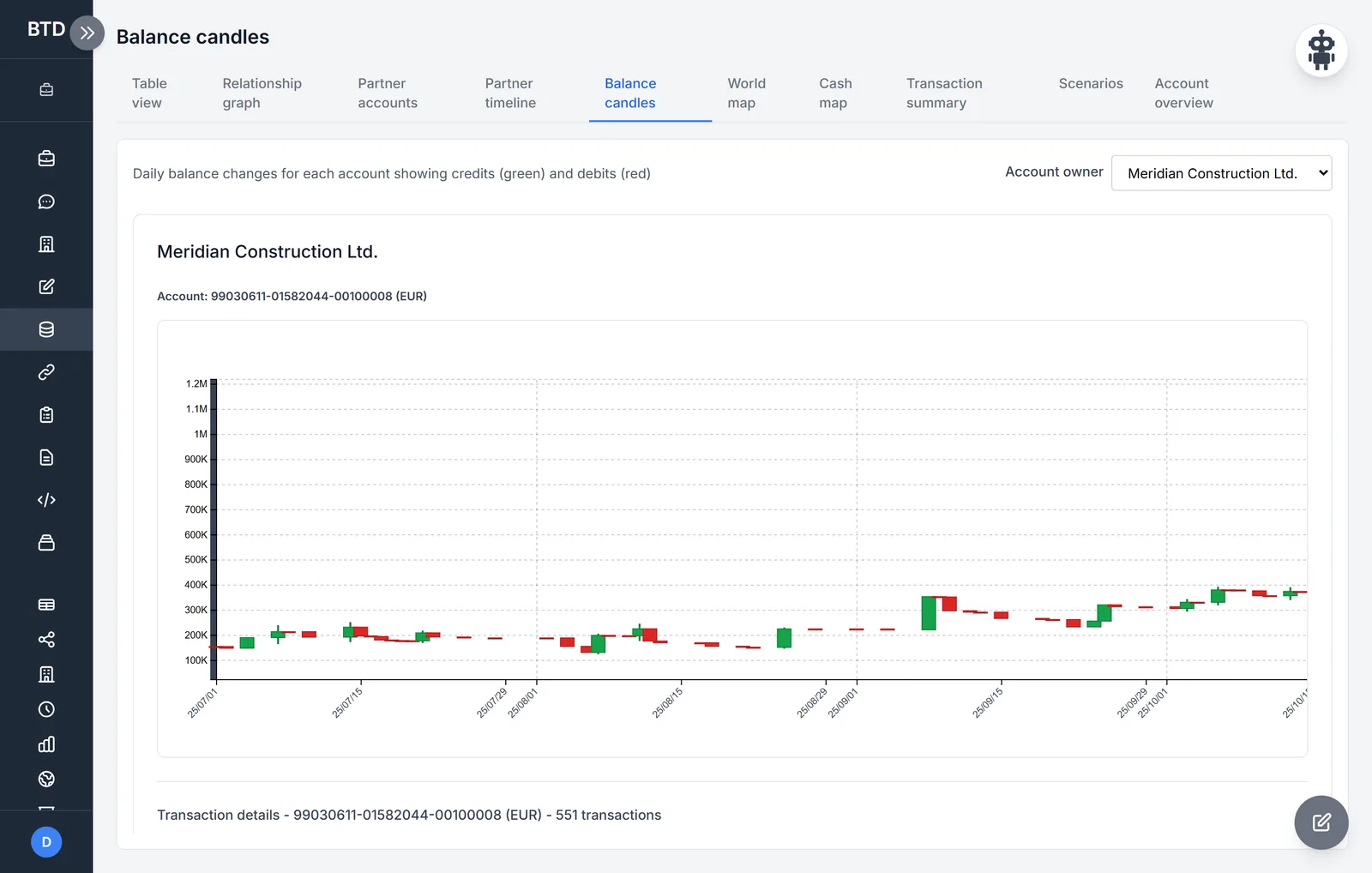
The partner accounts view shows, per counterparty, the credits, debits, balance, turnover and imbalance. The partner timeline draws an account holder's largest counterparties month by month, with a weekly activity heatmap. The balance candles show day by day how an account's balance moved.
5 · Maps
Where did the money go abroad, and where was it drawn in cash?
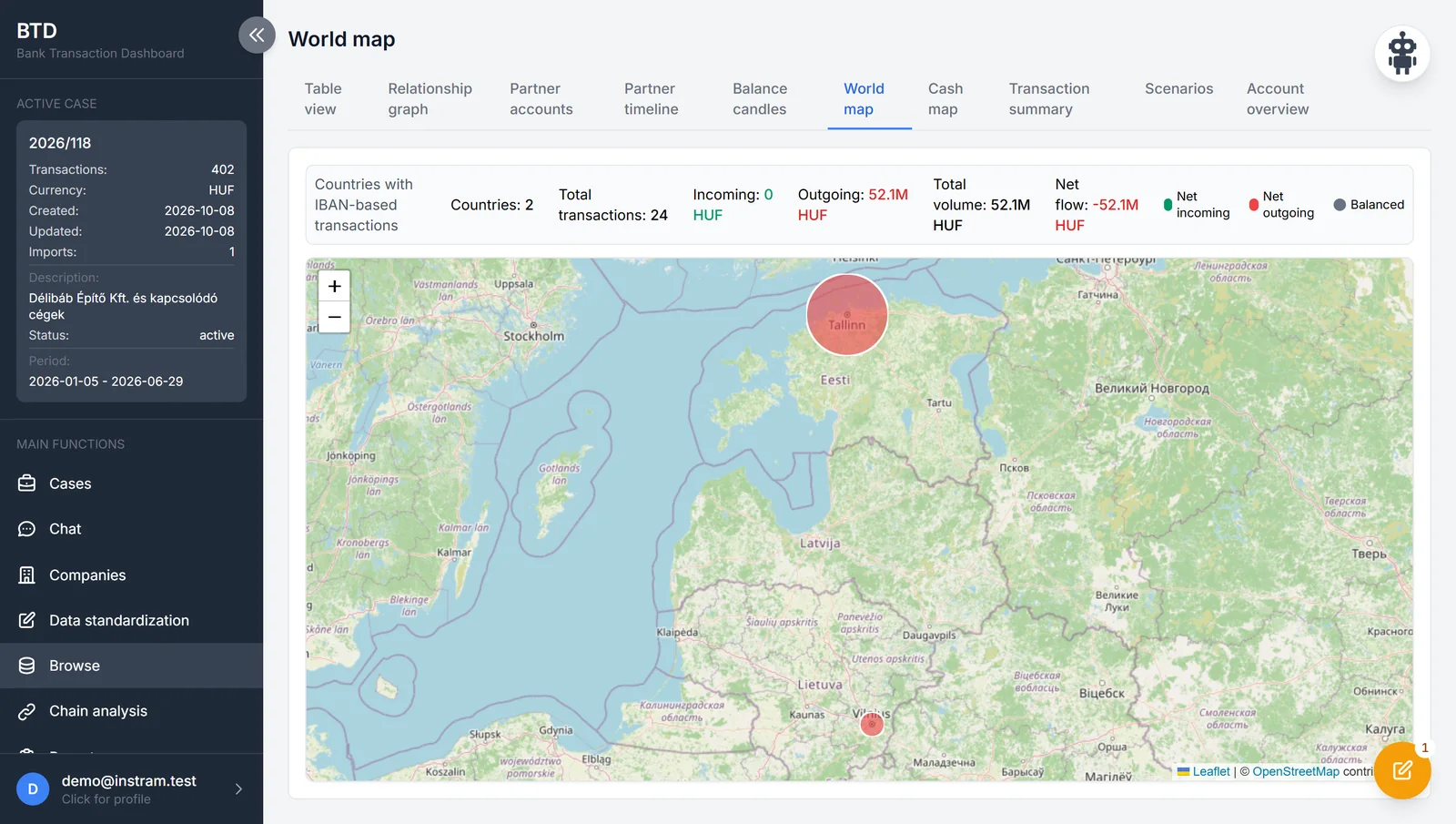
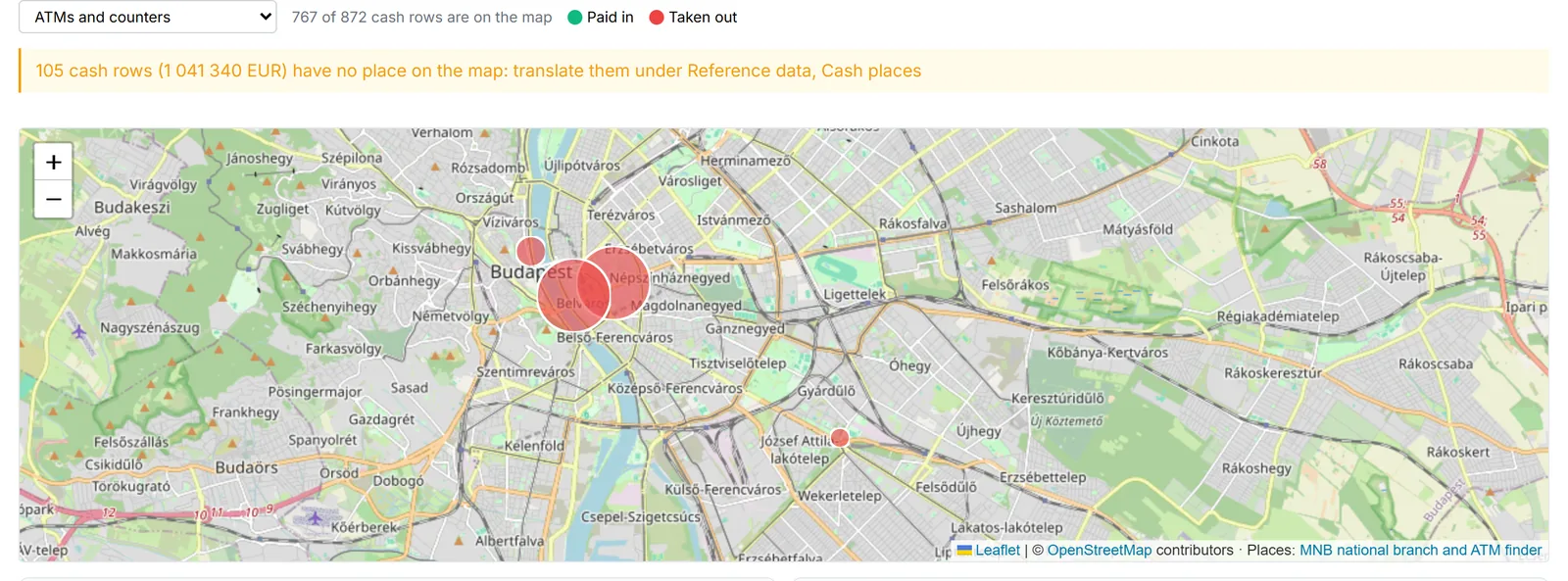
The world map shows incoming and outgoing money per country, from the IBANs, with the net direction in colour. The cash map places ATM and counter withdrawals and deposits on the points of the Hungarian central bank's national branch and ATM finder, down to the street and number: in the same place, in one town, or far from the registered office.
6 · Scenarios
Fourteen patterns an experienced analyst looks for.
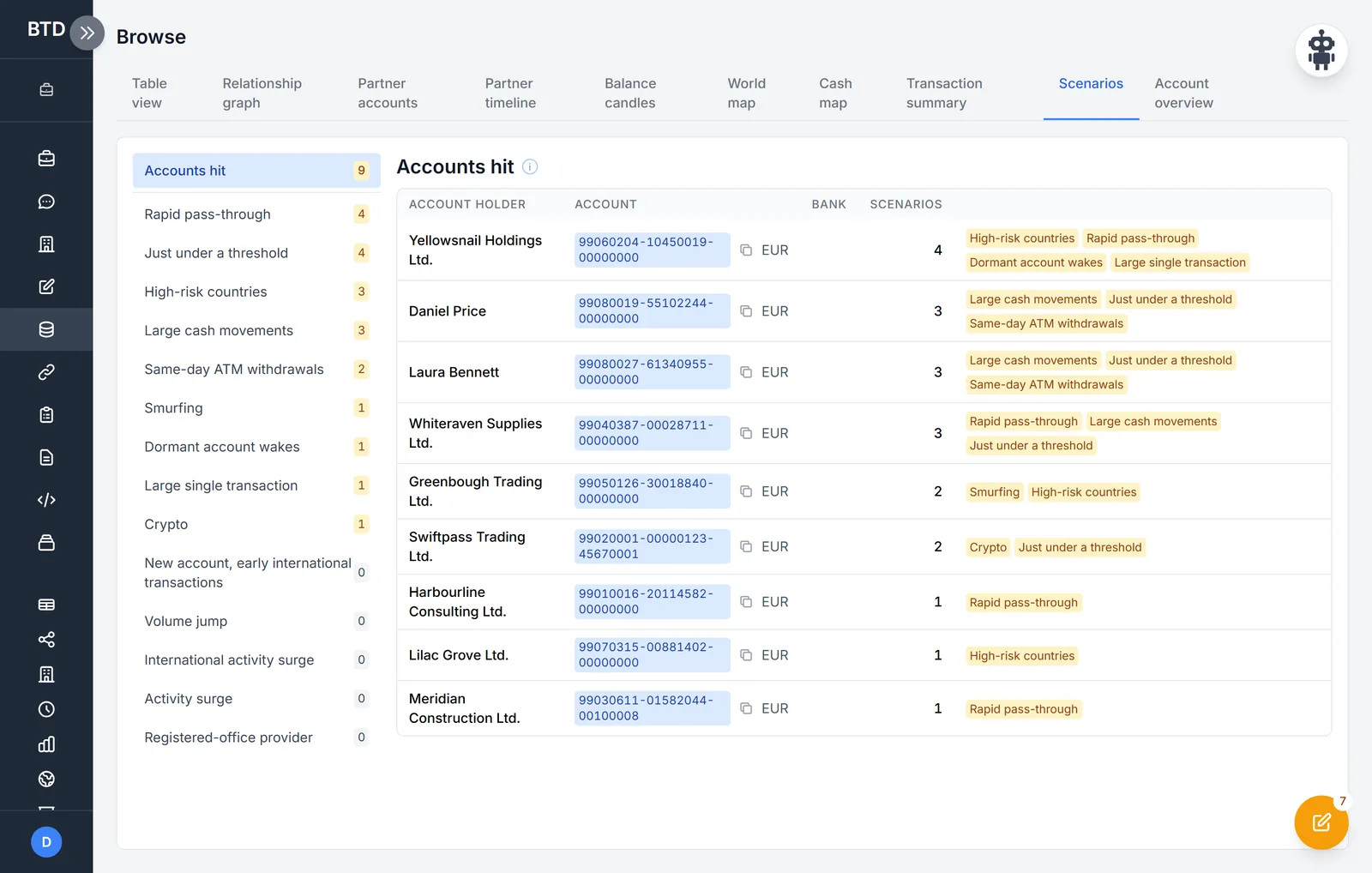
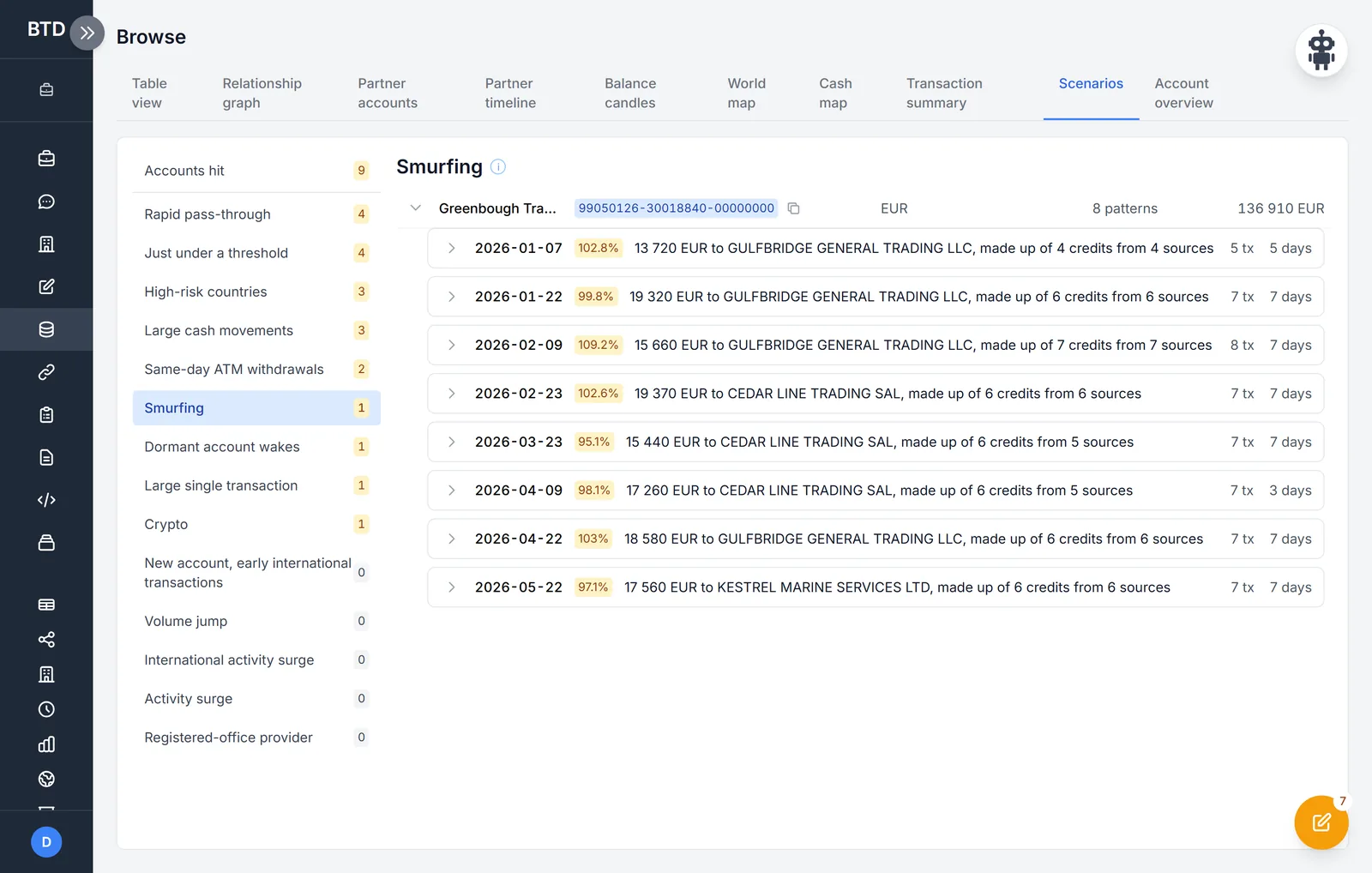
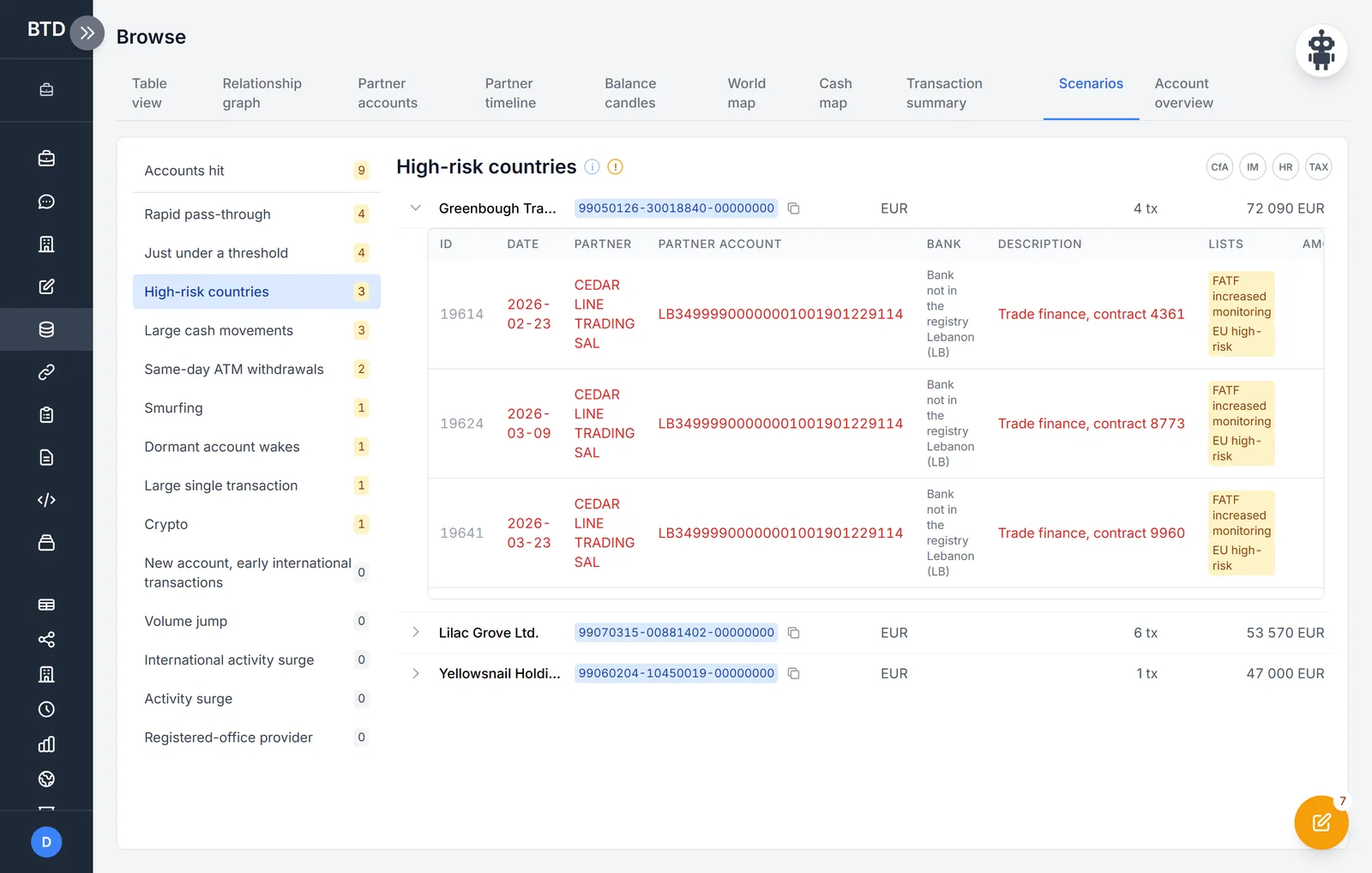
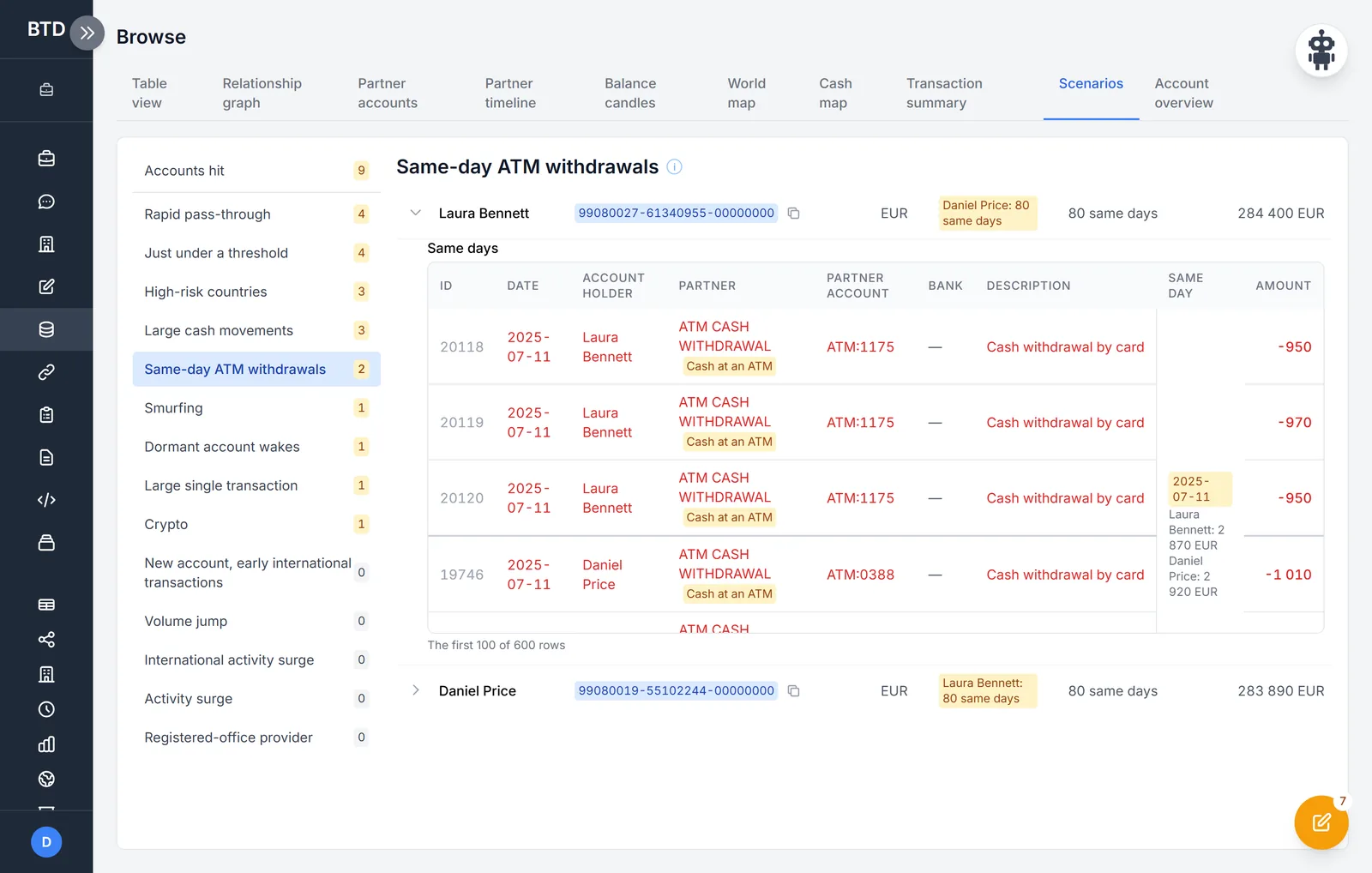
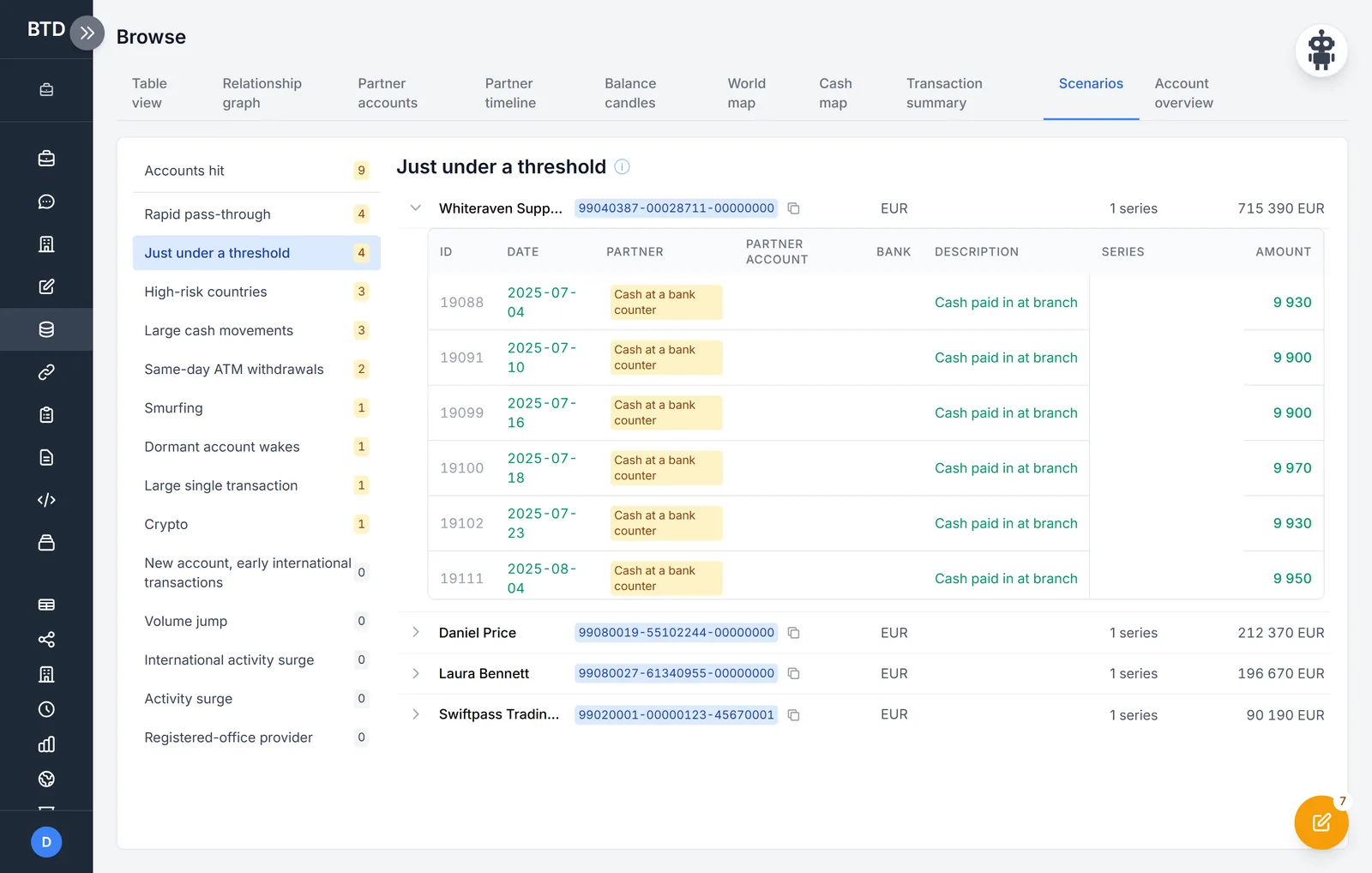
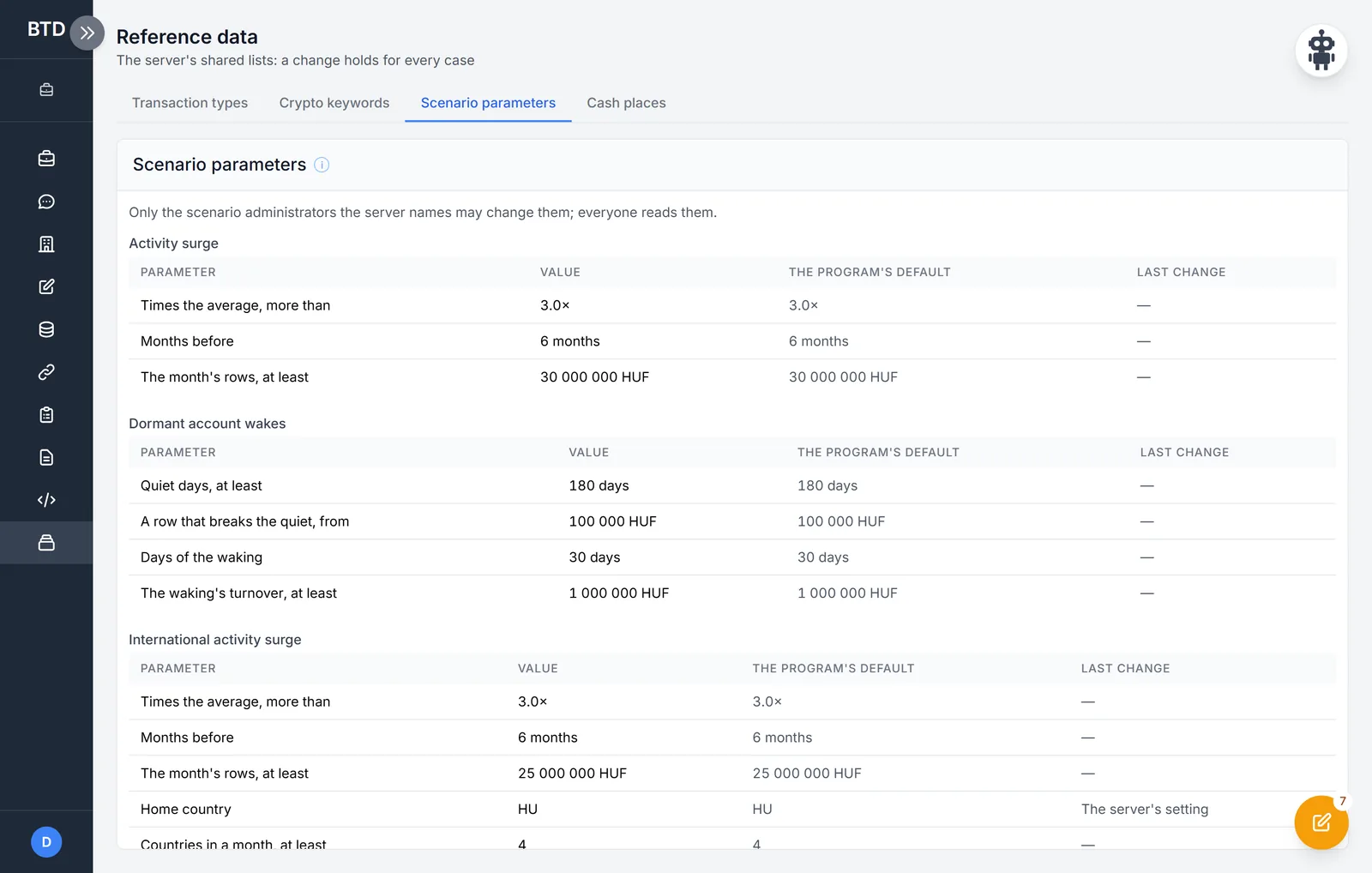
The scenarios run over the whole case and show which account was caught by what – pattern by pattern, with dates, shares and the rows that prove it. High-risk countries are checked against the FATF and EU lists in force on the day the money moved, not today's. Thresholds are set on the server, and every change carries a reason and a name.
- Rapid pass-through
- Smurfing
- Just under a threshold
- High-risk countries
- Large cash movements
- Same-day ATM withdrawals
- Crypto
- Dormant account wakes
- Large single transaction
- New account, early international transactions
- Volume jump
- International activity surge
- Activity surge
- Registered-office provider
7 · Chain analysis
Tracing money, arranged into chains.
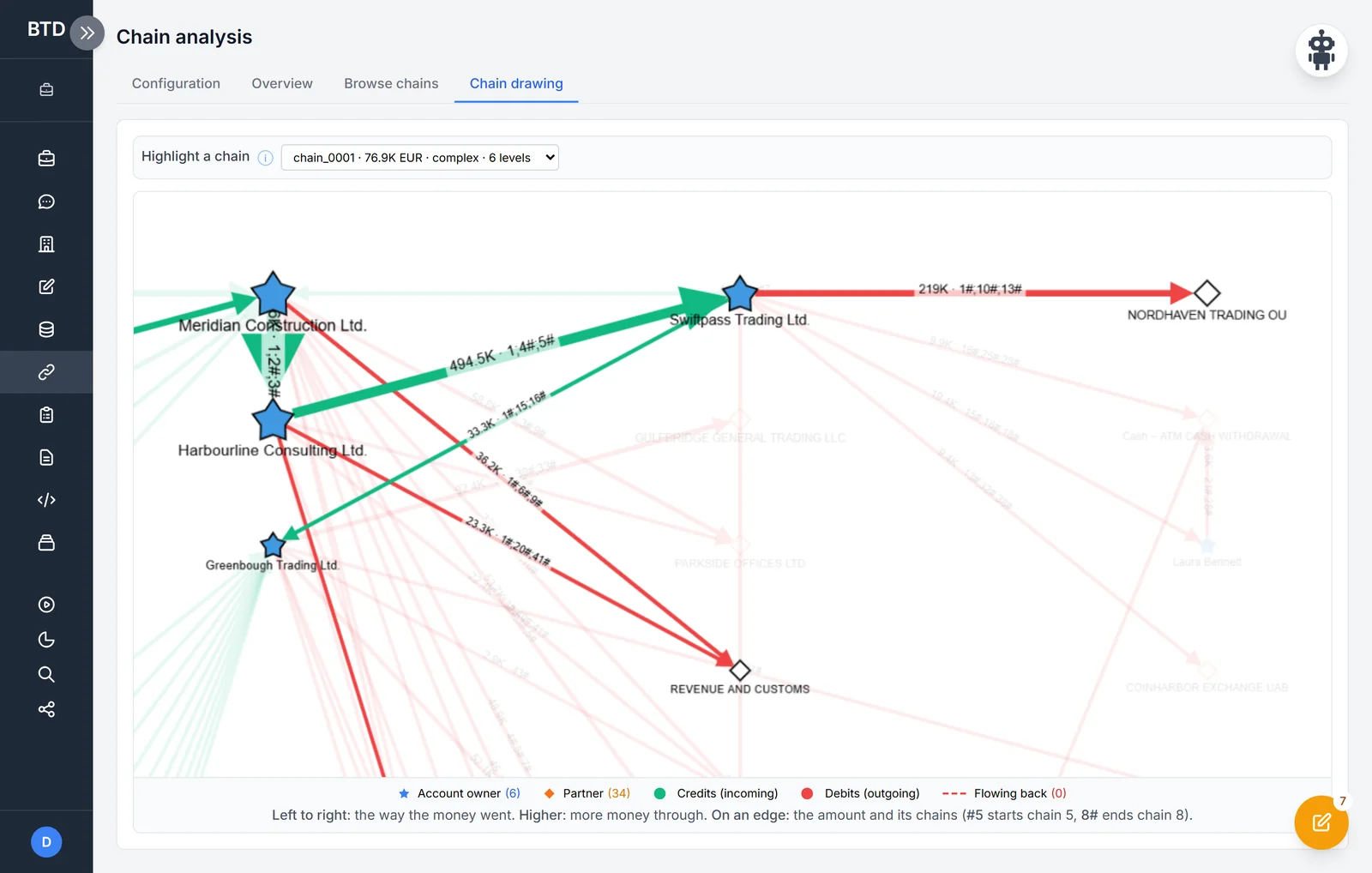
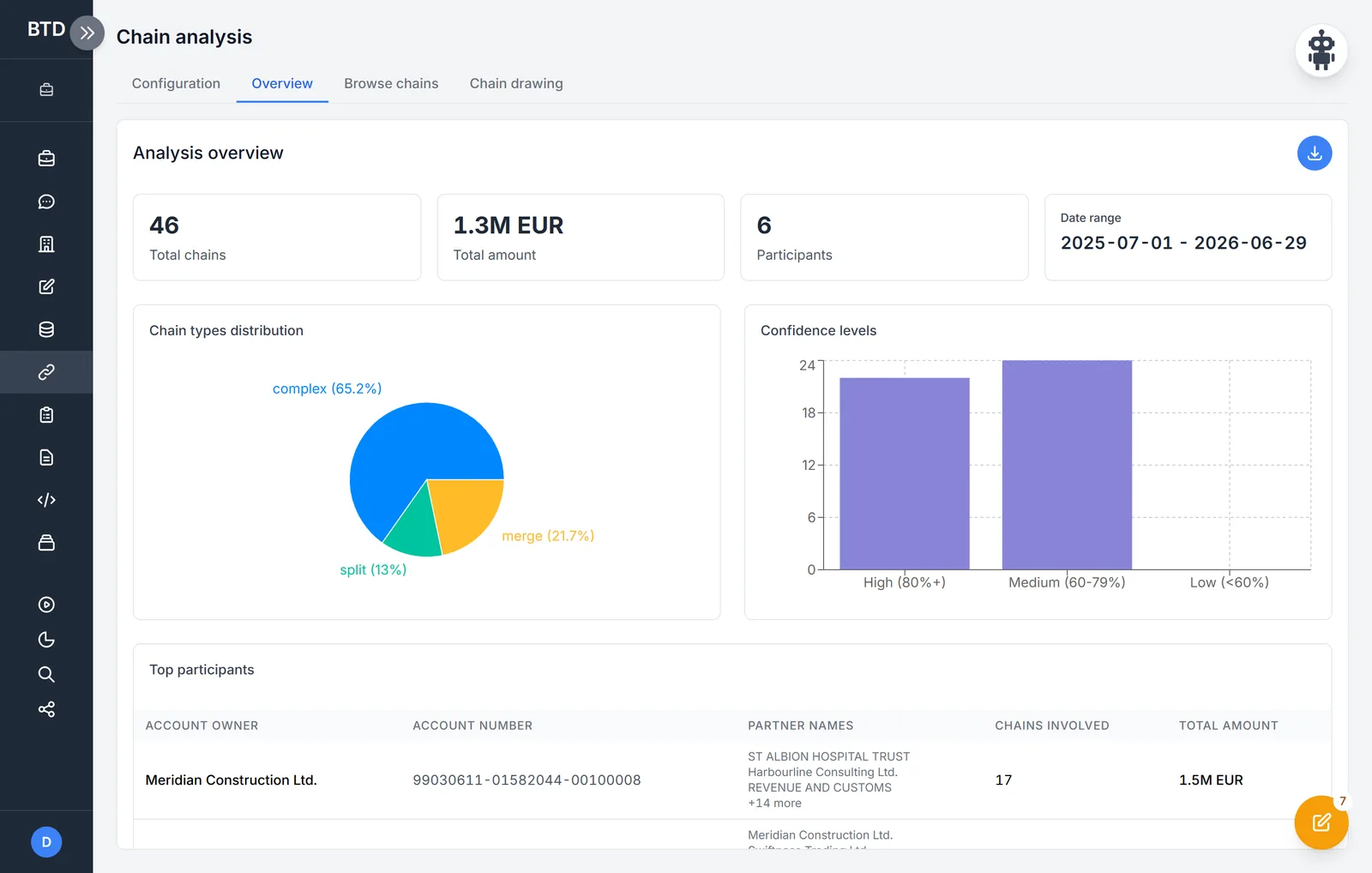
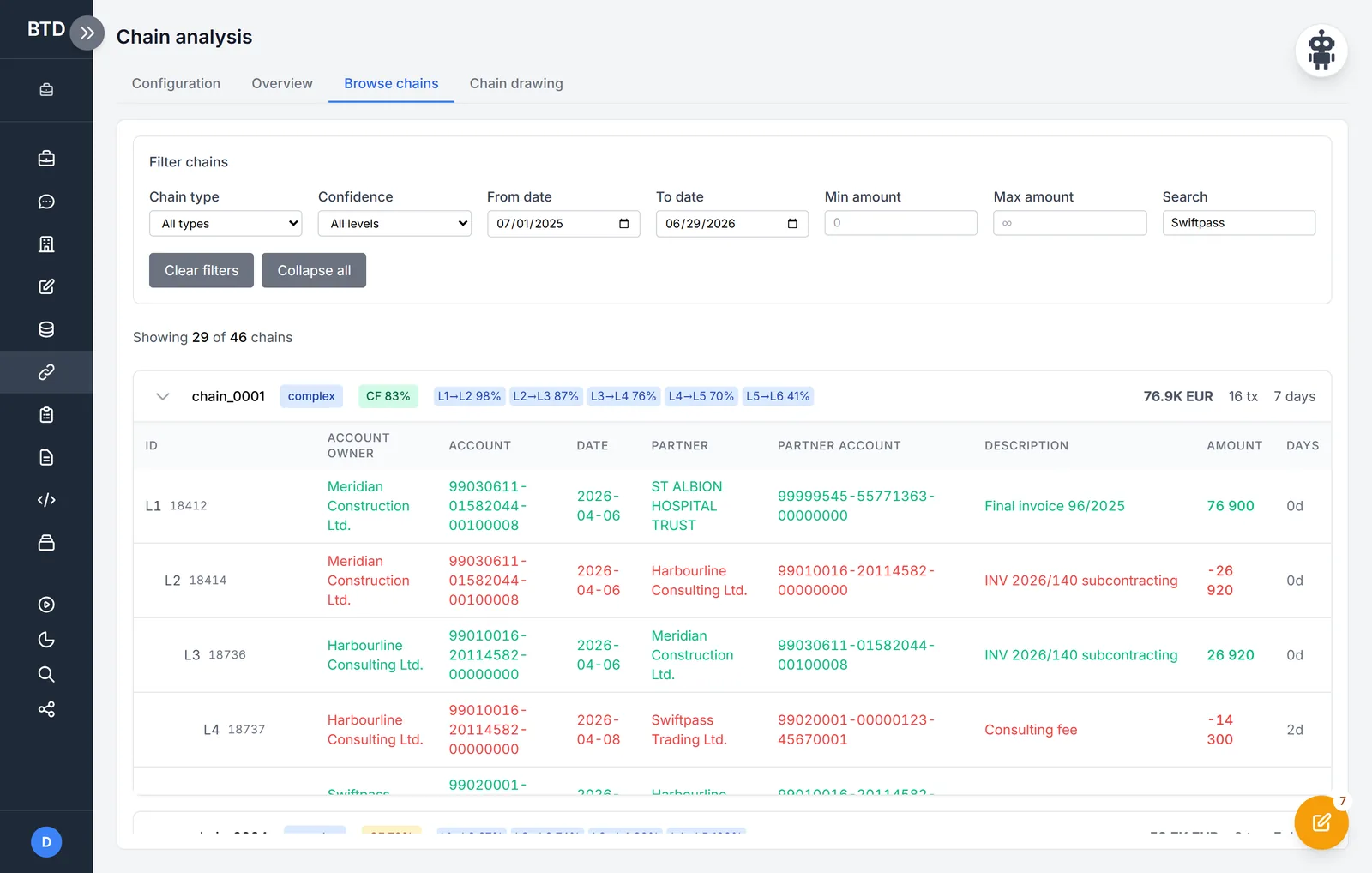
Chain analysis follows large credits forwards and debits backwards: with tolerances, a time window, a split percentage and a chain depth. The result is a list of chains – by type (complex, merging, splitting), with a confidence level and the share passed on at each level – highlighted on the chain drawing and exported to an Excel workbook.
On the chain drawing money moves from left to right, and whatever carried more of it stands higher. A chain picked out stands out from the rest; on every edge, the amount and the numbers of the chains the edge belongs to.
8 · Reports and exports
The findings, written down – and every download logged.
A report is written about one account holder or the whole case, in four kinds: general, cash, chain and foreign involvement. With summary findings, what stands out for the investigation, and a table of the accounts analysed; it can be worked on in the editor and exported to Word. Every export and download goes into the case's event log.
9 · Company checks
Who is behind the account?
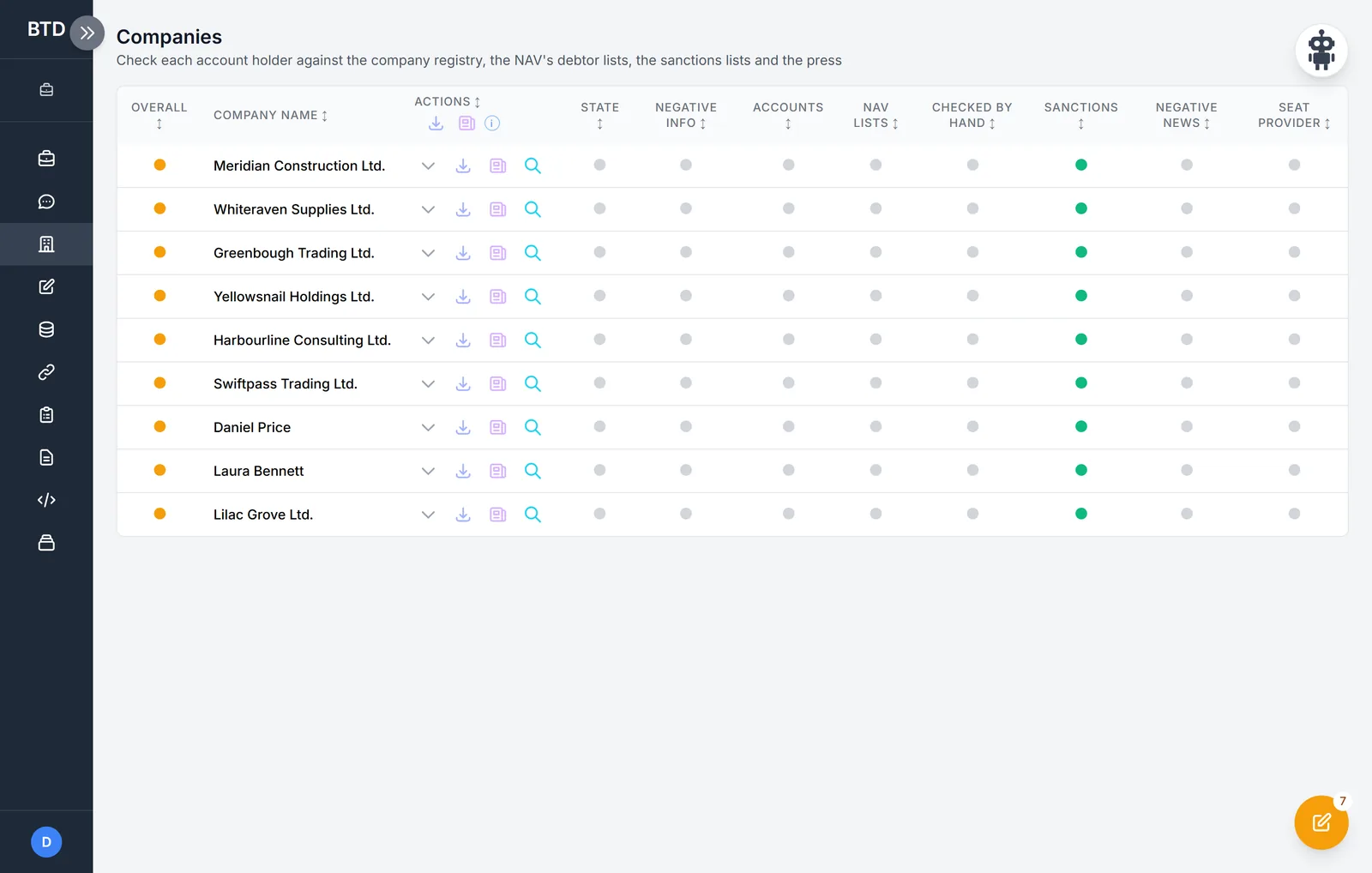
The Companies view checks every account holder against the company registry, the tax authority's debtor lists, the sanctions lists and the press, and whether its registered office is at a registered-office provider. At a glance you see where there is something to do.
10 · Questions in plain language
Ask about the case – the model never sees the bank rows.
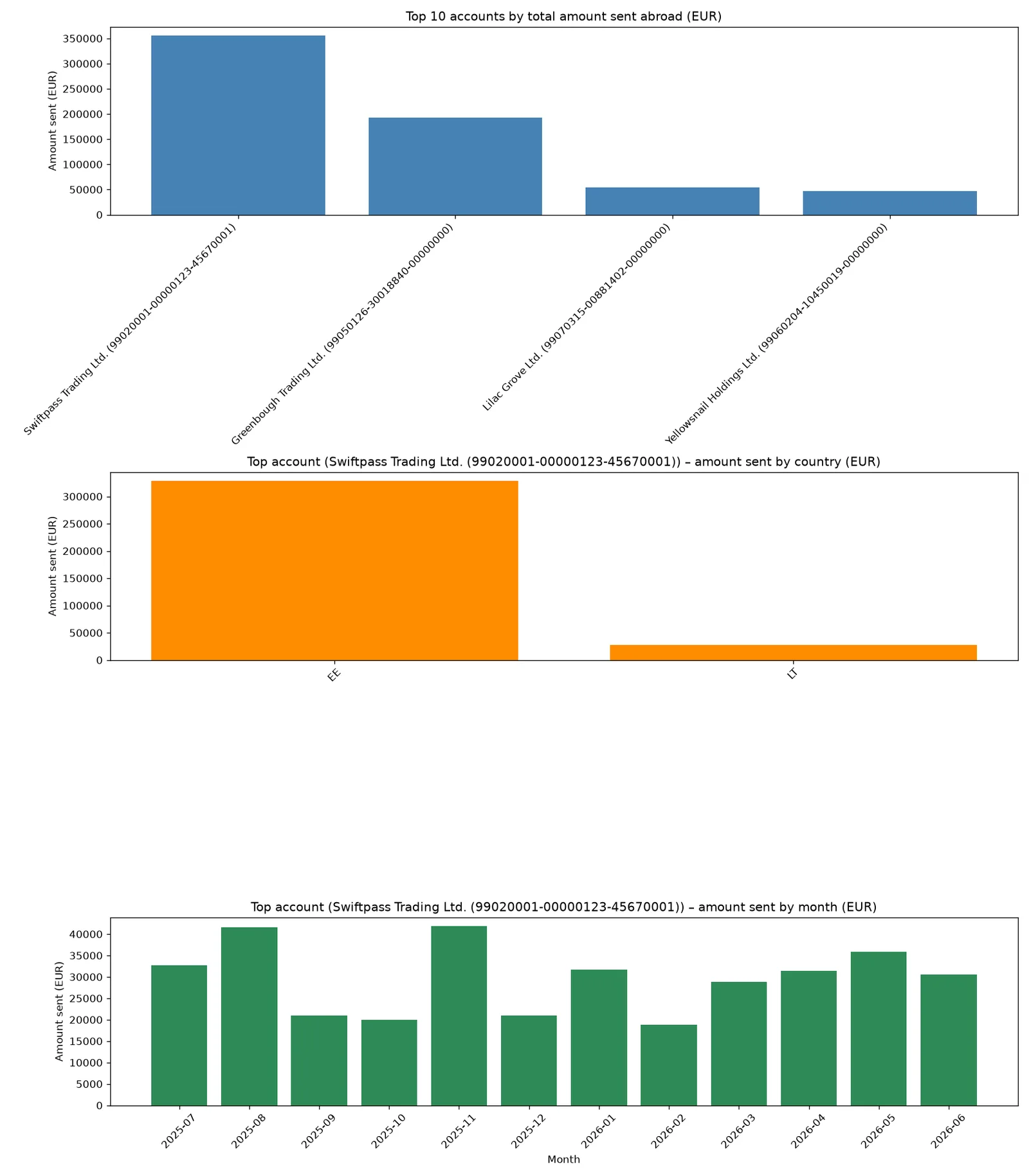
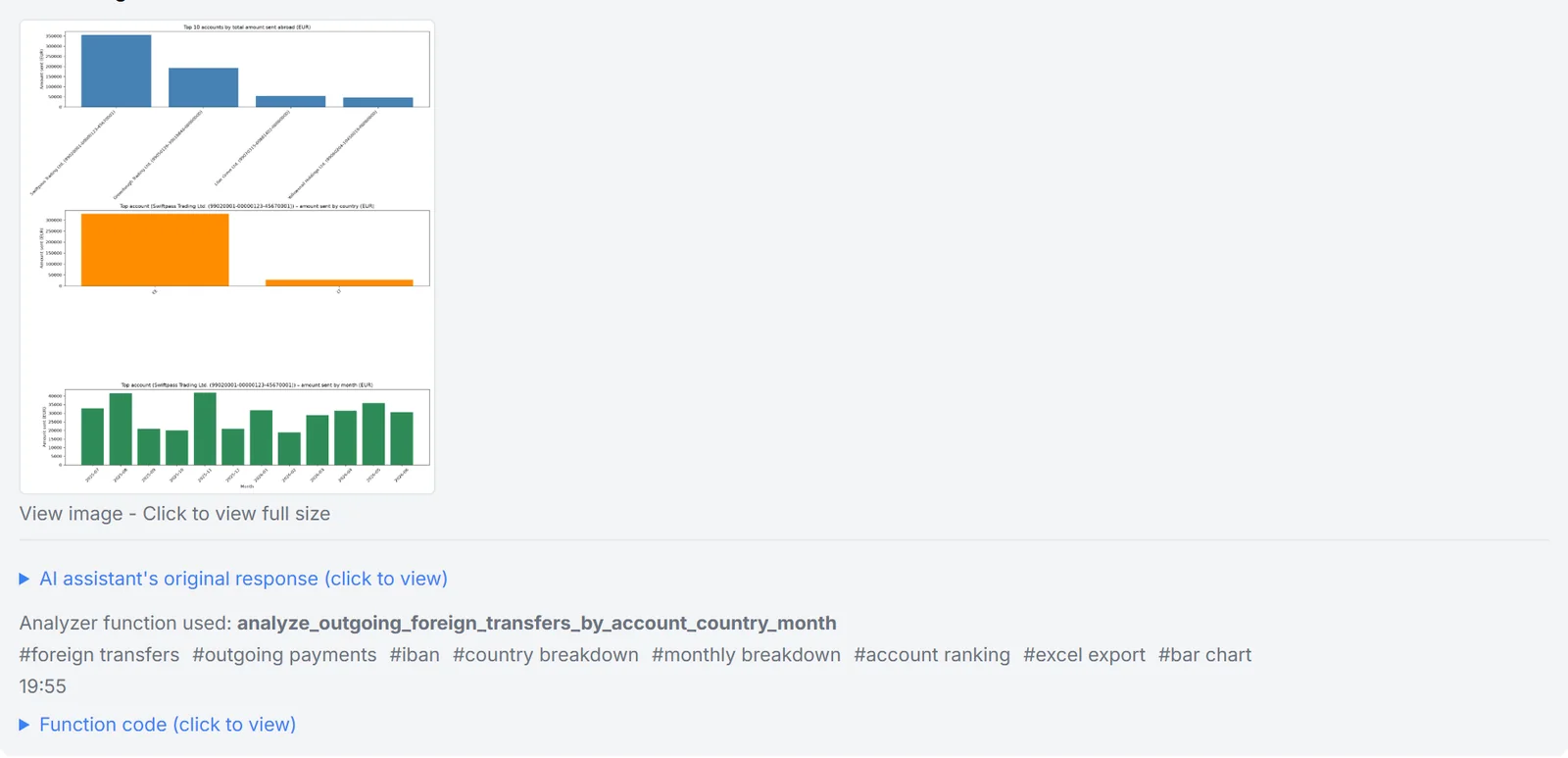
The AI chat turns a question into an analysis function, which the program runs in an isolated process on the case's data, returning a table, a chart or a workbook. The model never receives the bank rows, and runs with the user's own key. Functions that prove useful can be saved and run again later.
11 · Robby, the investigator's assistant
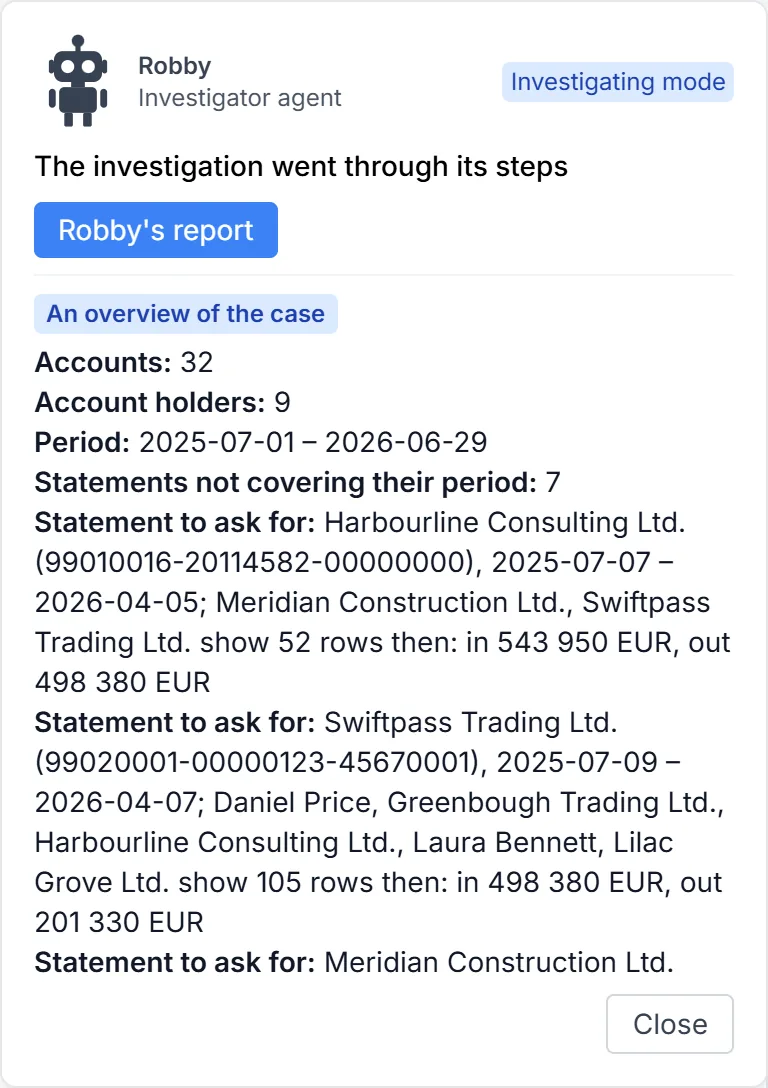
It goes through the case the way an experienced investigator would.
Robby works through the program's own actions while the interface follows: it reconciles, runs the scenarios, recognises the type of case, labels, draws charts, writes a workbook and a report. Whatever it would change, it first asks you to approve, and every step goes into the case's event log. In teaching mode it explains, step by step, what it does and why.
Installation and operation
On the organisation's server, in the browser.
-
Your own server
BTD runs inside the organisation's network, at one address, with the organisation's database. An online environment is available for trials.
-
Many users
User accounts, access per case, cases shared with colleagues.
-
Event log
Every import, export and download in a case is logged; a download link opens only for the person who requested it.
-
Shared lists
Sanctions and risk lists, the bank branch and ATM registry, the IBAN country registry – on the server, the same for everyone.
-
AI only when switched on
The AI features run with the user's own key, and the operator can switch them off.
-
In the user's language
The interface translates itself into the browser's language as it runs.
The pictures are taken from the programs' real interface, with the data of invented companies, people and accounts – no real case and no real bank appears in them. Click a picture to see it full size.
Try it with your own questions.
After the demo we give you online trial access to BTD, so your organisation can see where its own questions lead.