INSTRAM · Integrated Solution for Transaction Mining
Any bank's statement, as uniform, checked data.
INSTRAM is the statement-processing program. An analyst describes a bank's format once; investigators then run it over statements in bulk, and every run yields the same standard, signed dataset – for BTD or any other analysis tool.
1 · Reading
A statement's structure, written into a template once.
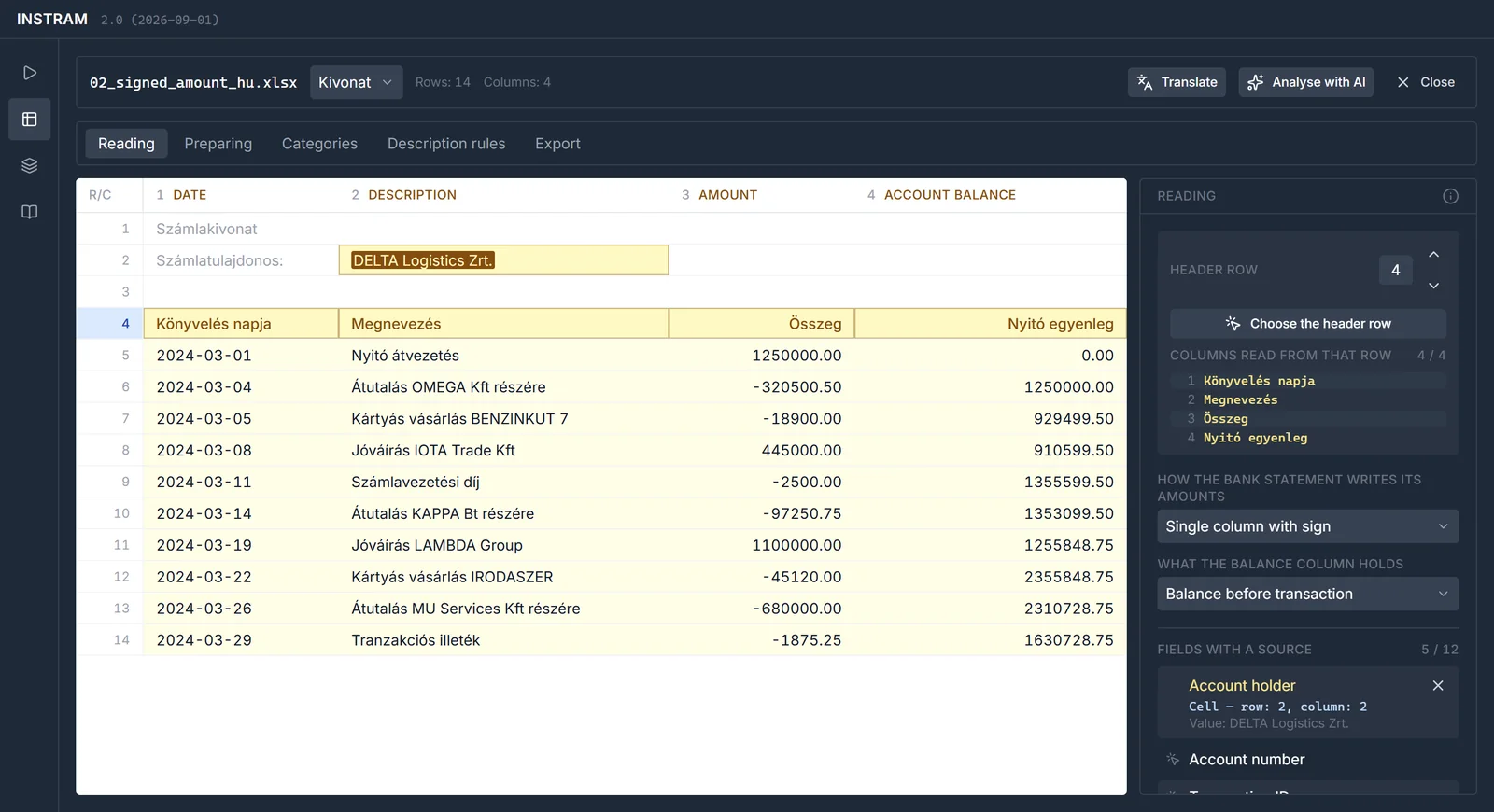
On the workbench the analyst describes how to read a bank's statements – rather than processing one statement by hand. They mark the header row, then point each field at a column of the table. What the statement states once, above the table – the account holder, the account number, the currency – is taken from a cell and given to every row.
- Formats: xlsx, xls, csv, txt and pdf – password-protected PDFs too; the character encoding (Central European, Cyrillic) is detected
- Amounts three ways: separate debit and credit columns, a signed amount, or an amount with a type letter
- Balance before or after the transaction – always the same way in the output
- Fingerprint: the template recognises the next statement of the same layout by its header
2 · AI suggestion
A new bank format? The model suggests, the analyst decides.
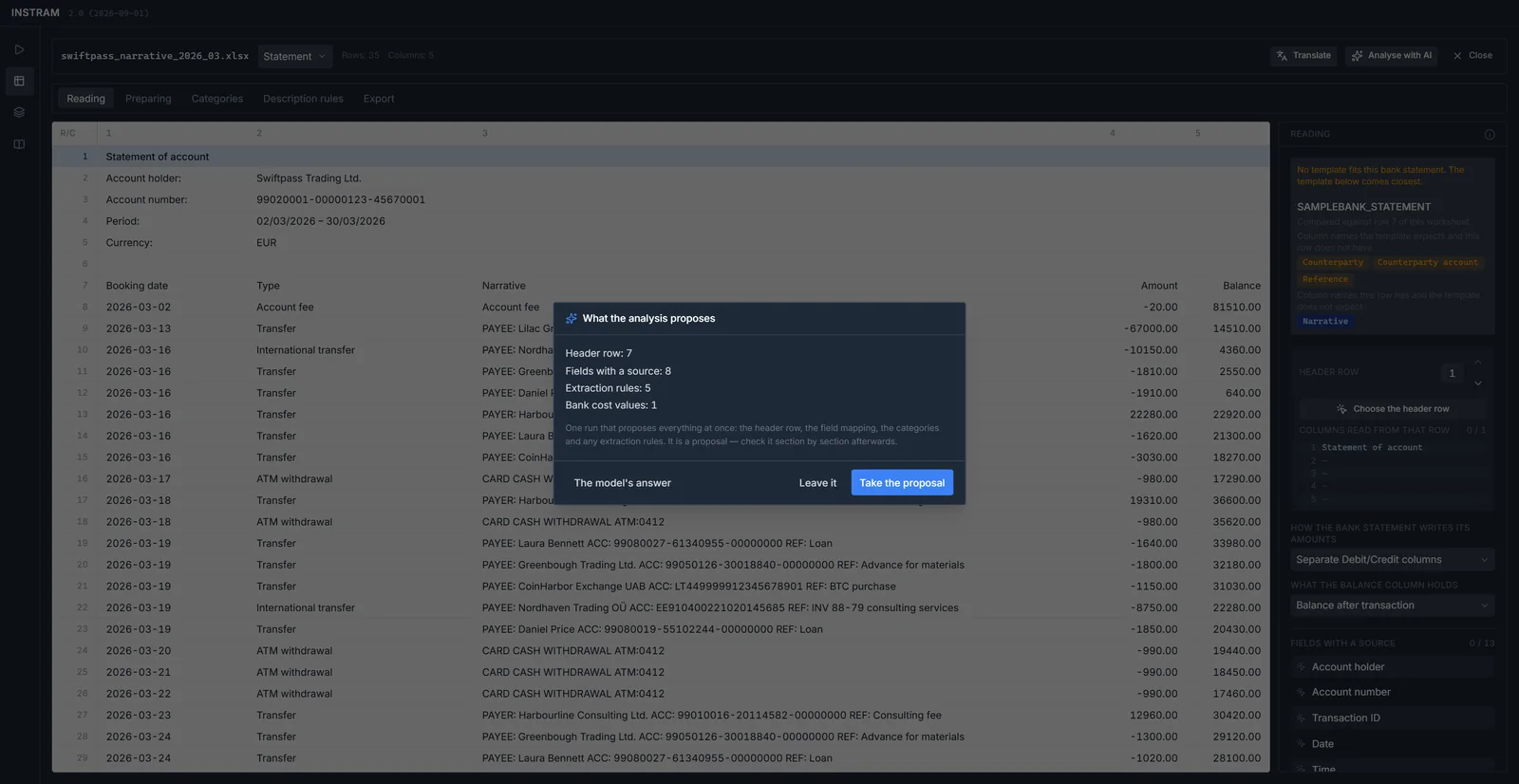
One click hands the worksheet to a language model, which suggests at once the header row, the field mapping, the categories and the extraction rules. The suggestion is only that: the analyst takes it or leaves it, and checks it section by section. The interface and the template library show what came from the model.
The model runs with the organisation's own key, and only when asked – processing statements does not need it.
3 · Preparing and categories
It tidies the statement – and remembers how.
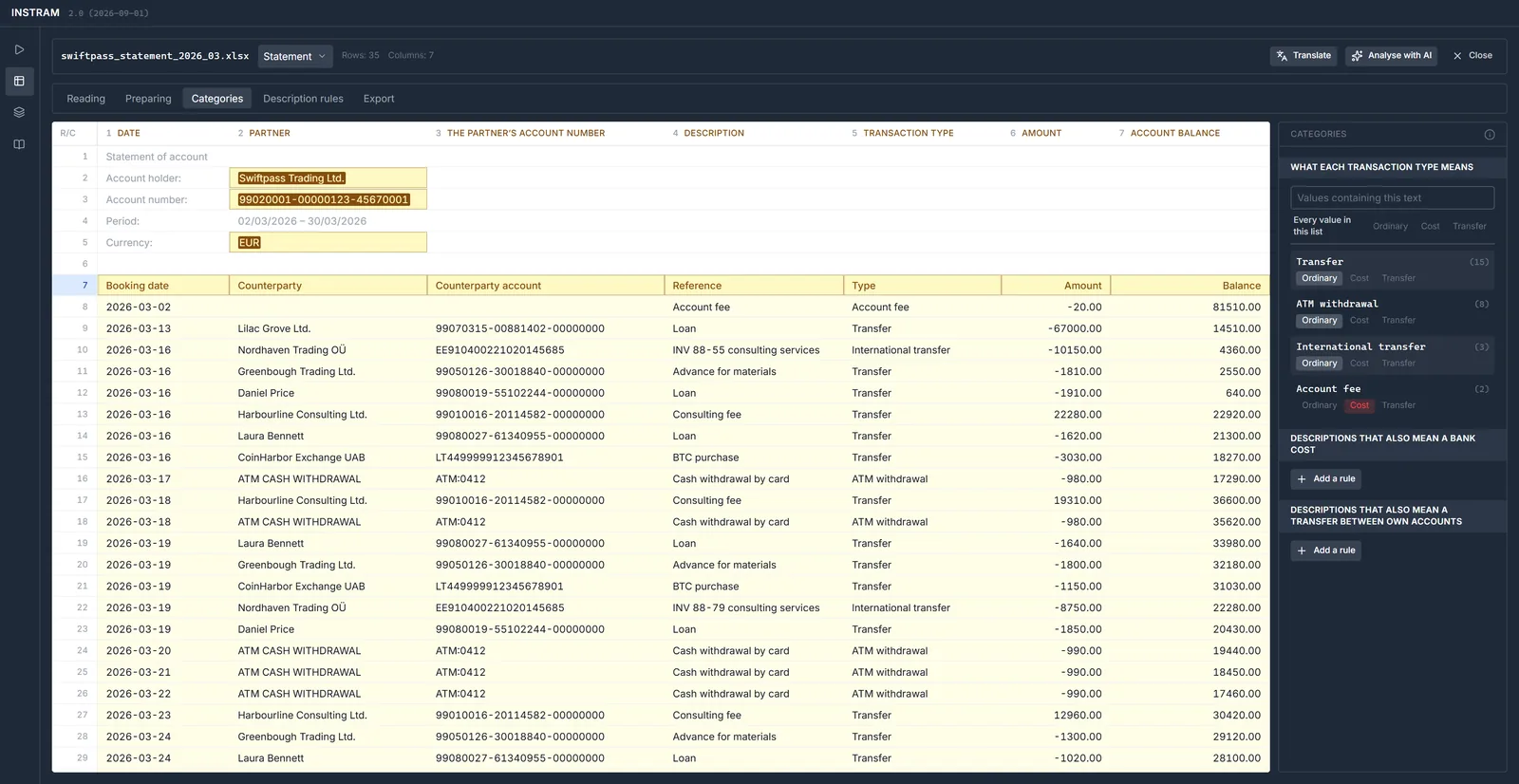
Banks' statements are seldom clean tables. The preparation steps go into the template and run again on every statement of the same kind: removing headers and subtotals repeated on every page, joining narratives broken over several rows, splitting a column into several fields. Under categories the analyst marks what counts as a bank cost and what as a transfer between own accounts.
- every operation goes into the operation log, and can be undone
- the interface speaks the user's language – the statement keeps its own
4 · Description rules
When the counterparty is only in the narrative.
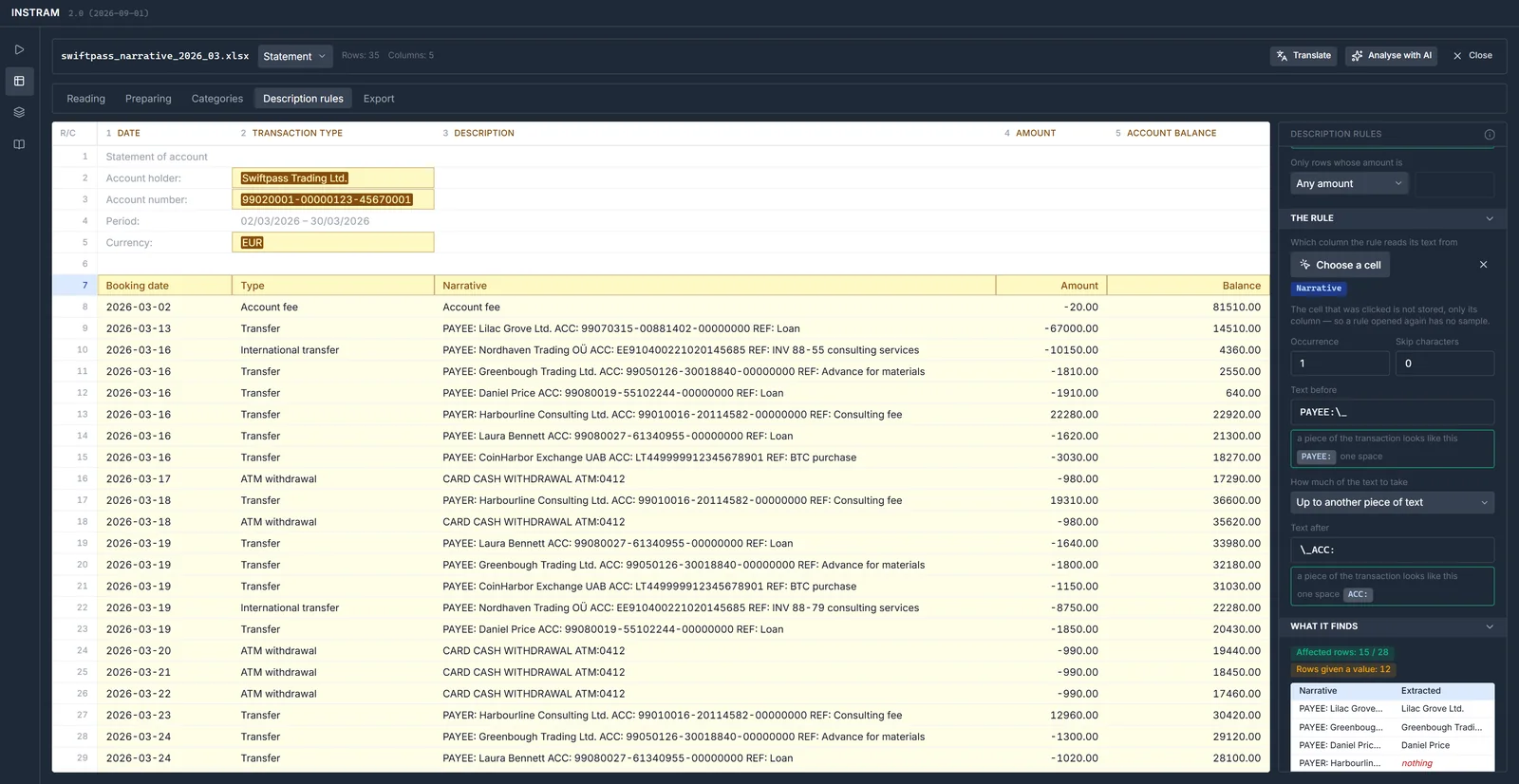
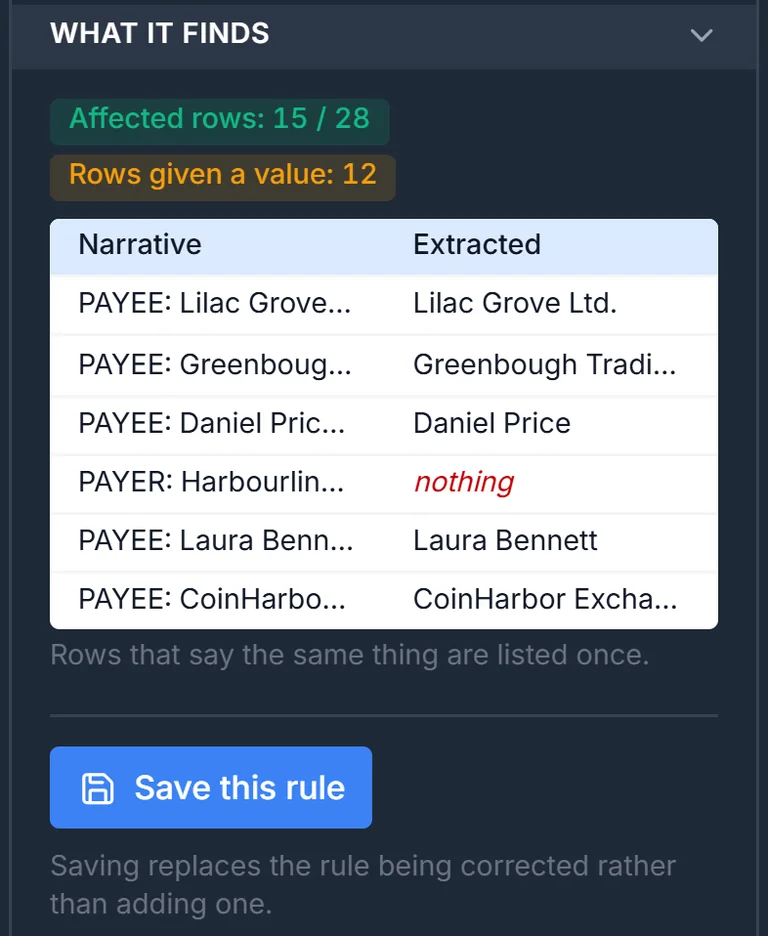
Many banks give the counterparty no column of its own: its name and account number are written into the narrative – PAYEE: Nordhaven Trading OÜ ACC: EE91… REF: INV 88-55. Description rules lift the counterparty's name, the counterparty's account number, or the transaction's date and time out of that text, and write it into the standard field. The rule goes into the template and runs again on every statement of the same kind.
Before it is saved, the program shows how many rows the rule applies to, and what it would take from each – row by row, beside the narrative. Where it finds nothing, it says so.
- Which rows: a pattern in one column – narratives starting “PAYEE:”, say, or the type “Transfer” – and an amount condition if needed
- Where it reads: the text of any column, not only the narrative
- What it takes: after which occurrence of a marker, how many characters to skip, and how far – to the end of the text, up to another piece of text, or a number of characters or words
- AI suggestion: for a new format the model writes the rules too – five for this statement – and the analyst checks them one by one
- where two rules can apply to the same row, the list marks them – the later one overwrites the earlier
5 · Checked export
Before anything leaves: what would the template produce?
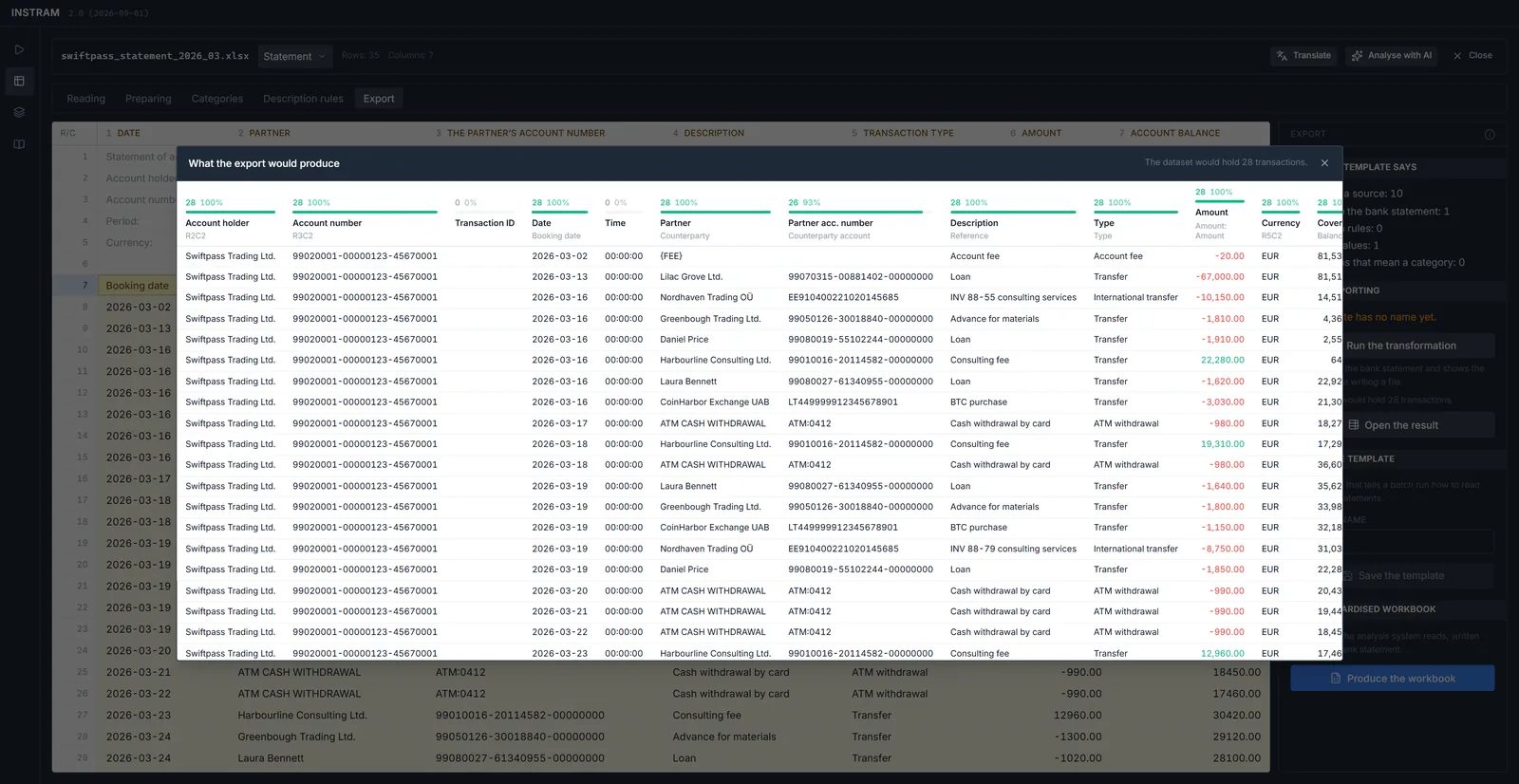
Before the export the program runs the transformation and shows the result: the standard fields, each with the share of rows that have a value. What is missing shows up here – not halfway through an investigation. The output is a signed 17-field CSV: if the bank did not state something, the field stays empty, not zero.
6 · Batch run
A folder of statements, one signed file.
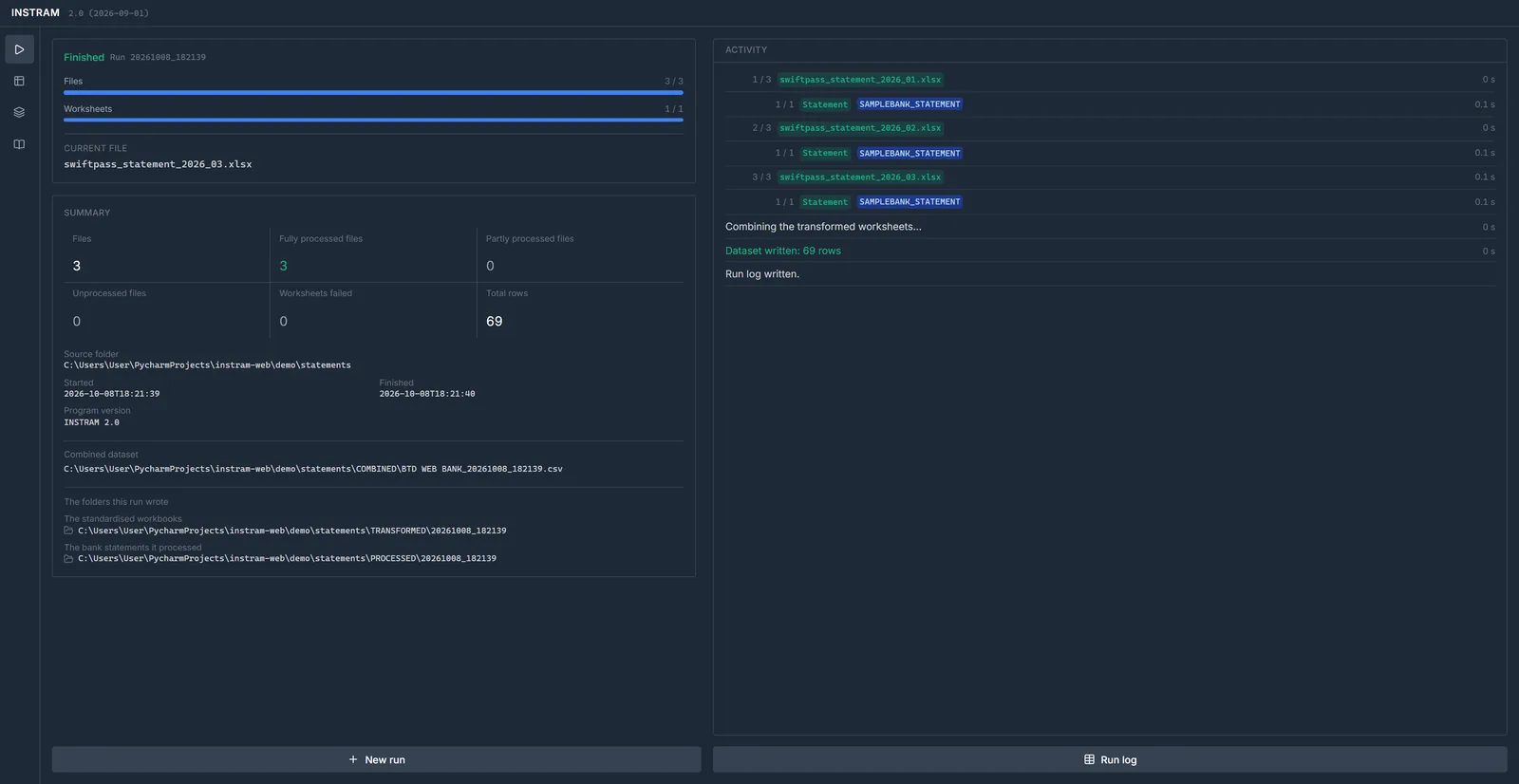
In a batch run the investigator picks a folder and starts the run. For every statement the program finds the template by its header, processes it, and at the end writes a single signed CSV – the one BTD loads.
The worksheet is the atomic unit: what does not succeed does not go into the output, and the run log says why. The log of every run is kept – who ran what, when, over which files, with which template.
- processed, transformed and combined files go into folders of their own
- during the run you see which file went through with which template
- the investigator role can be handed out to hundreds of machines
Installation and operation
One file, shared templates, roles.
-
Nothing to install
A single executable. Easy to hand out for a trial and to roll out to many machines; processing happens on the investigator's own machine.
-
A shared data folder
Templates, dictionaries and settings live in one shared folder – what the analyst builds, every investigator can use at once.
-
Analyst and investigator
Only the designated analyst machines may build templates; every other machine runs as an investigator, with nothing to set up.
-
Daily backup
On start the program backs up the shared folder's irreplaceable parts, one copy for each day of the week.
-
A licence with grace
After a licence expires it runs for 30 more days and says so in red – a late purchase must not stop an investigation.
-
In the user's language
The interface translates itself as it runs: from its dictionary, and what is missing by machine translation – every label, message and help page.
The pictures are taken from the programs' real interface, with the data of invented companies, people and accounts – no real case and no real bank appears in them. Click a picture to see it full size.
See it on your own statements.
In the demo we show, on your own banks' formats, how a statement becomes a template, and a template becomes uniform data.